AI Chatbot Customer Service: The Complete 2026 Implementation Guide
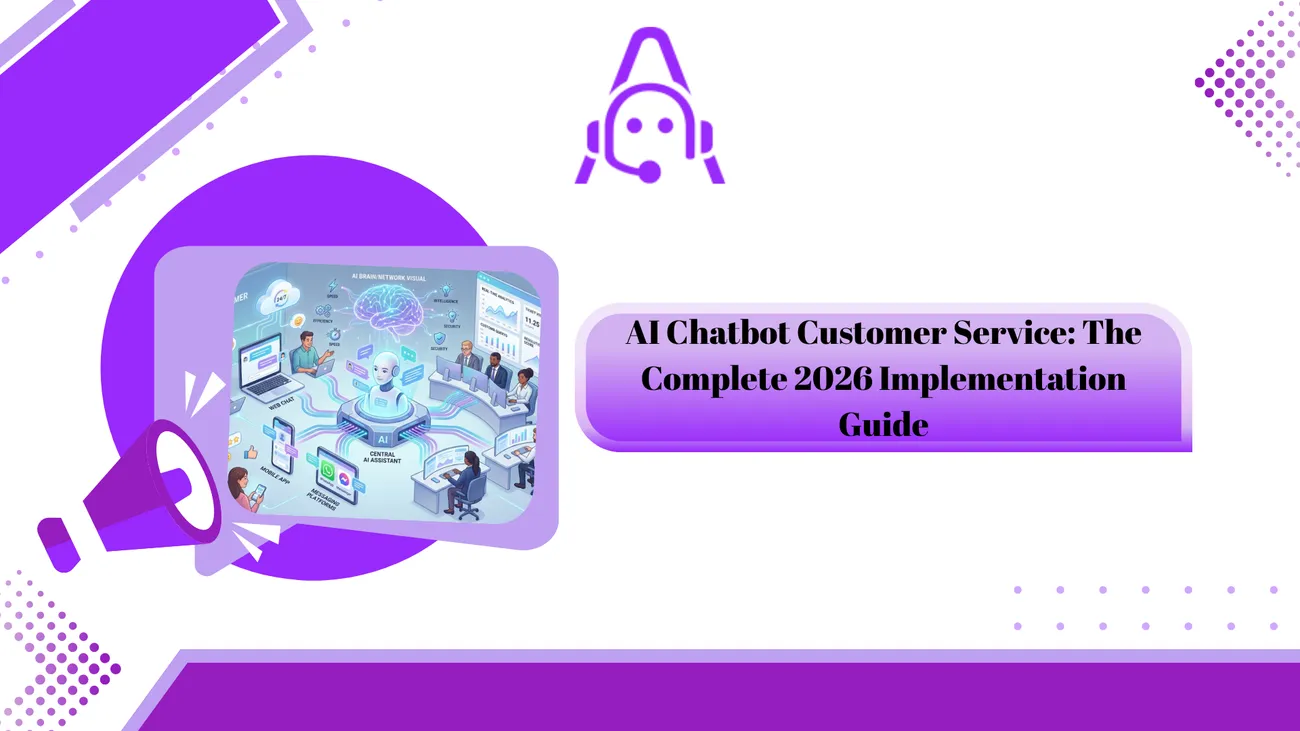
This blog offers a practical roadmap for implementing AI chatbots for customer service in 2026, aimed at support managers, CX leaders, founders, and enterprise decision-makers. It argues chatbots are essential for meeting customer expectations, scaling operations, and capturing AI capabilities, and emphasizes starting with a few high‑impact flows (order status, password resets, FAQs) rather than automating everything. The guide covers platform selection criteria, integrations with CRM and backends, phased 6‑step implementation plan (discover, design, build, train, launch, iterate), voice AI, governance, security, ROI measurement, team roles, common pitfalls, pilot examples, timelines, and checklists to help teams plan, pilot, and scale.
If you are reading this, you already know AI chatbots for customer service are no longer optional. In 2026, they're a core part of customer support stacks for companies of all sizes. I’ve worked with teams that launched chatbots in a matter of weeks and teams that took a year to get it right. The difference usually came down to planning, integration, and a few avoidable mistakes.
This guide is written for customer support managers, CX leaders, SaaS founders, and enterprise decision-makers who want a practical roadmap to implement AI chatbot customer service. I keep things hands-on and pragmatic. Modern AI driven platforms also enhance Meta ad workflows by integrating competitor analysis, creative analytics and bulk ad publishing into one centralized system.
What do we mean by AI chatbot customer service?
Put simply, an AI chatbot for customer service is a conversational AI that helps customers resolve issues, get information, and complete tasks without always needing a human agent. It can be text chat, messaging in apps, or voice. The best bots combine natural language understanding, knowledge base retrieval, and integrations with backend systems like CRM, billing, and order systems.
Think of it as a virtual assistant for support. It can answer FAQs, create or update tickets, route complex issues to the right team, and assist live agents with suggested replies. In my experience, the most useful bots are not trying to do everything at once. Start with a few high-impact flows and expand from there.
Why implement an AI chatbot in 2026?
There are three big reasons companies invest in chatbot automation now:
- Customer expectations. People expect fast, 24/7 answers. If you don’t offer self-service, they’ll go to competitors or leave frustrated reviews.
- Operational scale. Chatbots reduce routine tickets and free agents to work on complex problems that need human judgment.
- Better AI. Modern conversational AI and retrieval-augmented generation make bots more accurate and context aware than before.
Quick ROI example. If your company handles 100,000 support contacts per month and a chatbot deflects 20 percent of them, that’s 20,000 fewer interactions for agents. If an average full-time agent handles 3,000 contacts monthly and costs $6,000, you could avoid hiring 6 to 7 agents. That’s real savings, and you’ll see the impact in both cost per contact and response speed.
Top use cases for AI chatbots in customer service
Not every use case is equal. Start with the ones that give immediate value and are easy to measure. Here are the common, high-impact areas I recommend first:
- Order status and shipment tracking. This is low risk and has a clear ROI.
- Password resets and account access issues. High volume, simple flows.
- Knowledge base delivery and FAQ automation. Good for deflection.
- Returns and refunds processing. Requires back-office integration but delivers clear customer value.
- Lead qualification and basic sales queries. Useful for SaaS and e-commerce companies.
- Agent assist. Suggest replies and relevant knowledge to human agents in real time.
- After-hours triage and scheduling. Keeps customers engaged while agents are offline.
Start with one or two of these. You can expand to multi-step service journeys later.
How Voice AI is Expanding Customer Service Automation in 2026
While chatbots are transforming text-based support, many enterprises are now extending automation into voice channels. Voice AI solutions allow businesses to handle customer calls, IVR interactions, and voice-based queries with the same intelligence and efficiency as chatbots.
This is especially valuable for enterprises dealing with high call volumes, multilingual customers, and 24/7 support expectations. Voice AI can authenticate users, resolve common issues, and seamlessly route complex cases to human agents — all while maintaining a natural conversational experience.
If you're planning a long-term customer service automation strategy, it’s worth exploring how voice integrates with your chatbot ecosystem. 👉 Explore Voice AI Solutions for Enterprises to understand use cases, architecture, and implementation strategies in detail.**
How to choose the right AI chatbot platform
Picking a platform feels overwhelming. I’ve seen teams choose tools based on demos and shiny features rather than real requirements. Here’s a checklist to guide you.
- Core NLU performance. Can it understand intents and entities in your domain? Ask for benchmarks or trial it on your real transcripts.
- Integration options. Does it connect to your CRM, ticketing system, billing platform, and data warehouse via APIs or prebuilt connectors?
- Customization and control. Can you own conversation flows and data? How easy is it for support teams to update the bot?
- Security and compliance. Does the vendor meet SOC2, GDPR, or industry-specific standards you need?
- Analytics and observability. Will you be able to monitor intent accuracy, deflection rate, and handoff quality?
- Scalability and uptime. Look for enterprise SLAs if you need them.
- Pricing transparency. Watch for hidden costs: integrations, training, message volumes, languages.
- Vendor roadmap. Are they investing in conversational AI and retrieval-augmented generation?
Red flags to watch for: poor demo scripts without real data, vendors that lock you into proprietary formats, and unclear security practices. I usually run a 4-week pilot before committing. That teaches you far more than a long sales process ever will.
2026 Implementation roadmap - step by step
Below is a practical roadmap I use with teams. You can turn this into a 6 to 12 week plan depending on complexity.
Phase 1 - Discovery (1 to 2 weeks)
- Gather support logs and transcripts. You need real data to prioritize.
- Identify top intents and high-volume flows. Look for quick wins like order status or password resets.
- Map technical touchpoints. List CRMs, ticketing systems, knowledge bases, and databases you must integrate with.
- Set success metrics. Pick 3 KPIs like deflection rate, CSAT, and average handle time.
Tip: If you don’t have clean logs, export a month of support chats and do a quick manual intent audit. It’s tedious but revealing.
Phase 2 - Design (2 to 3 weeks)
- Create conversation flows and decision trees. Keep flows simple and human-like.
- Design escalation paths and handoff rules. Decide when the bot must transfer to an agent.
- Write persona and tone guidelines. Should your bot be formal, friendly, or brand-as-a-person?
- Plan data mapping with CRM fields. Decide what customer context should be passed to the bot and vice versa.
Don’t aim for perfection. Draft 3 to 5 core flows and iterate. Conversation design is a craft — test with real humans early.
Phase 3 - Build and Integrate (2 to 6 weeks)
- Implement the NLU model and intents. Seed with real examples from your logs.
- Connect to backend systems. Build secure API calls for ticket creation, order lookup, and authentication.
- Implement context persistence. Carry customer context across messages and channels.
- Implement analytics events for every key action. Capture intent, confidence score, response, and outcome.
Integration speed is often the bottleneck. Expect surprises like undocumented API quirks. Plan for 10 to 30 percent more time than your initial estimate.
Phase 4 - Train and Test (2 to 4 weeks)
- Run an internal beta. Let agents and product people test and add phrases.
- Collect edge-case examples and add them to training data.
- Test handoffs across queues and verify context is preserved.
- Measure baseline metrics before launch.
In my experience, beta testing uncovers the weirdest requests. Don’t be surprised. Use that to improve the model quickly.
Phase 5 - Launch and Monitor (1 to 4 weeks)
- Start with a soft launch. Route a fraction of traffic to the chatbot and monitor performance.
- Use fallbacks wisely. Offer a clear option to talk to an agent if the bot is unsure.
- Monitor intent accuracy, transfer success, CSAT, and deflection in near real time.
- Iterate weekly based on logs and user feedback.
Don't flip a switch for everyone. A controlled rollout lowers risk and builds confidence with stakeholders.
Phase 6 - Continuous Improvement (ongoing)
- Set a regular cadence to retrain models with new data.
- Keep adding new flows as the bot proves itself.
- Run monthly reviews with support, product, and engineering to prioritize improvements.
Teams that win at chatbot automation treat it like a product. They measure, iterate, and keep the bot up to date with changes in policies and offerings.
Integrating your chatbot with CRM and other systems
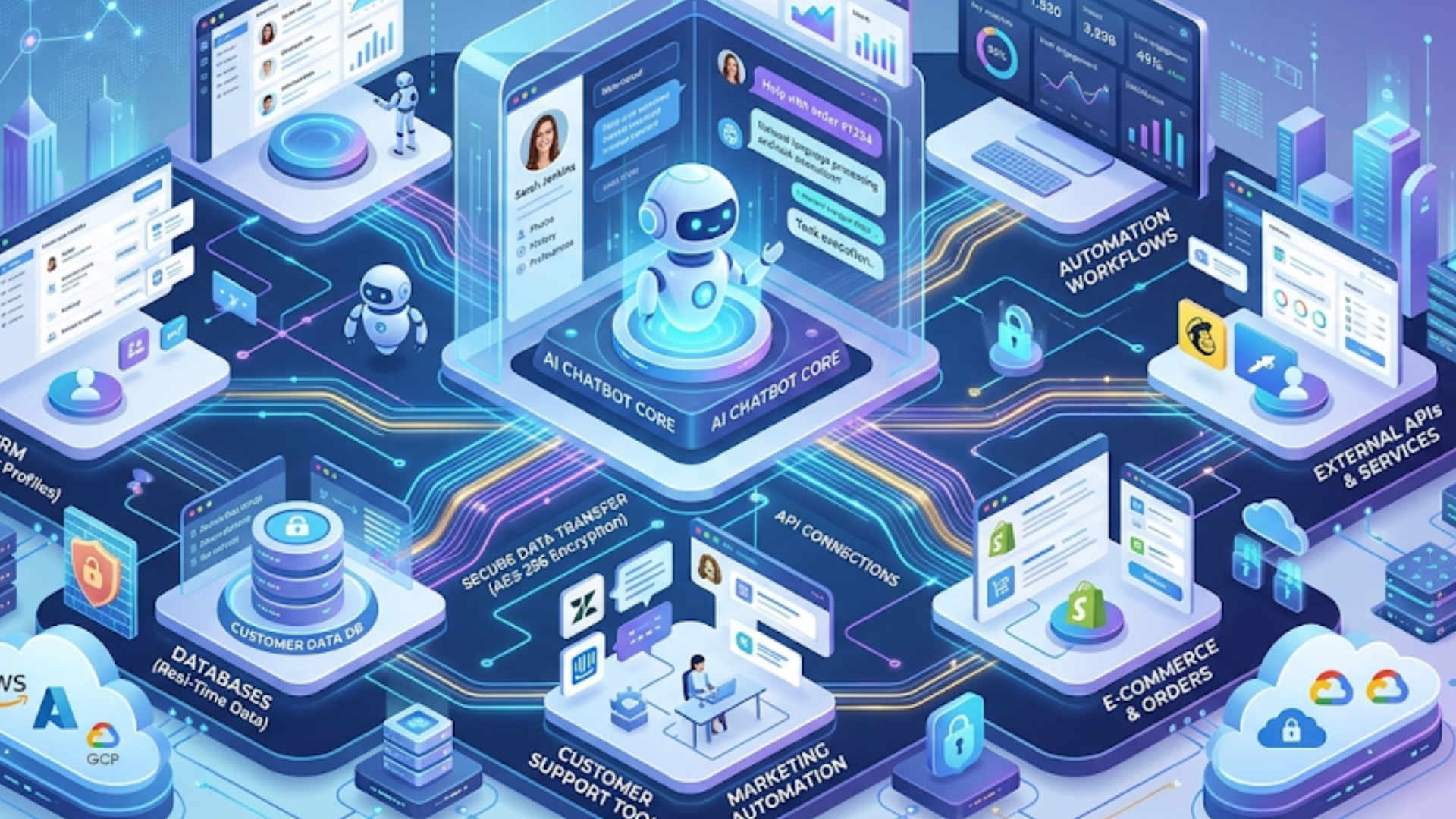
Integration is where chatbots deliver real value. Without context from CRM and order systems, the bot is just a scripted Q and A. With integration, it can fetch order status, open tickets, or change subscription plans.
Key integration patterns to plan for:
- Read-only lookups. Order status, subscription tier, or account balance queries.
- Action calls. Create tickets, initiate refunds, or book appointments.
- Event webhooks. Notify the bot of shipment updates or billing events.
- Agent context sync. Send chat transcripts and metadata to CRM when a human takes over.
Simple webhook example for ticket creation:
{
  "customer_id": "12345",
  "subject": "Unable to access account",
  "description": "Customer attempted password reset and failed",
  "channel": "chatbot"
}
Common integration mistakes: over-fetching data on every message, not caching customer context, and failing to handle API rate limits. If you can, mock APIs while building so you don't depend on live production systems during development.
Conversation design and NLU basics
Good conversation design keeps customers on task and reduces frustration. The NLU model maps user text to intents and extracts entities. Keep intents concise and pragmatic.
Sample starter intent list for an e-commerce company:
- check_order_status
- initiate_return
- track_shipment
- reset_password
- cancel_order
- product_info
- speak_to_agent
Write short test phrases for each intent. Use variety. Don’t forget misspellings and slang. In my experience, including real customer phrases from chat logs makes the first version of the model much better.
Fallbacks matter. Always include a graceful fallback that either clarifies intent or routes to an agent. Avoid repeating "I did not understand" messages. Instead say something like, "I am not sure I got that. Do you mean order status or returns?" and offer buttons for clarity.
Training and tuning models in production
Training is ongoing. After launch, you will get new phrases that the model did not see in training. Capture those and retrain weekly or monthly depending on volume.
Workflows I recommend:
- Log every unmatched utterance and review daily.
- Prioritize the top 50 unmatched phrases and add them to training data each week.
- Use a validation set to avoid overfitting.
- If you use generative models, combine retrieval-augmented generation with a knowledge base and guardrails to avoid hallucinations.
Metrics to watch closely:
- Intent accuracy and confidence scores
- Deflection rate - percentage of contacts resolved without agent handoff
- First contact resolution for bot-assisted interactions
- Average handle time when escalated
- CSAT and NPS impact
Human-agent handoff and governance
Handoff is often where projects break down. The bot must pass the full conversation context to the agent. If you drop context, the customer repeats information and frustration soars.
Handoff checklist:
- Capture all recent messages and metadata - order numbers, intent, confidence levels.
- Attach relevant knowledge articles or suggested responses for the agent.
- Route to the correct queue based on intent and customer profile.
- Log the handoff event in CRM with timestamps.
Governance covers policies for data retention, allowed actions, and escalation rules. Put these in writing early. I’ve seen companies get compliance questions months after launch because handoff logs were incomplete.
Measuring ROI and the business case
ROI makes the business case possible. Quantify cost avoidance and revenue opportunities.
Simple ROI model:
- Baseline monthly contacts: 100,000
- Projected deflection rate: 20 percent = 20,000 contacts
- Average cost per contact: $2 = $40,000 monthly savings
- Implementation costs: platform, integrations, and people. Spread over a year.
Even modest deflection combined with improved CSAT and faster response times can justify the project in under a year. Measure both hard savings and soft gains like improved customer retention and better agent satisfaction.
Key metrics to report to stakeholders:
- Cost per contact before and after
- Deflection and containment rates
- Resolution time improvements
- CSAT and NPS delta for bot-handled vs human-handled contacts
- Agent productivity and occupancy
Common mistakes and how to avoid them
Here are mistakes I see often, with quick fixes:
- Trying to automate everything at once. Fix: Start with a few high-volume flows.
- Poor integration planning. Fix: Map APIs and dependencies before build starts.
- Ignoring metrics. Fix: Instrument events and review them weekly.
- Bad fallback behavior. Fix: Offer clear options to reach a human quickly.
- Understaffing bot ops. Fix: Assign owners for content, training, and analytics.
- Relying only on synthetic training data. Fix: Use real transcripts from day one.
A common pitfall is believing the bot is done at launch. It is not. Treat the bot like a product that requires continuous care.
Pricing models and vendor negotiation tips
Vendors price chatbots in several ways. Typical models include:
- Usage-based pricing - cost per message or conversation
- Seat-based pricing - depending on number of agents or admins
- Feature-tier pricing - more advanced features cost more
- Enterprise licensing - flat fee with negotiated terms for large deployments
Ask vendors about all potential add-ons: connectors, training hours, professional services, and premium support. Negotiate SLAs for uptime and response times. If compliance is essential, include security certifications in the contract.
Security, privacy, and compliance
Security is a requirement, not an afterthought. Customers share personal data in conversations. Protect it.
Checklist for security:
- Encrypt data in transit and at rest
- Use role-based access control and audit logs
- Ensure vendor compliance with GDPR, CCPA, and SOC2 as applicable
- Design data retention and deletion policies
- Use data minimization techniques for analytics
When you plan integrations, think about least privilege access. The bot seldom needs full write access to every system. Grant only what it needs to perform its tasks.
Scaling and future-proofing your chatbot
Plan for growth. Languages, channels, and model upgrades will come. Build with modularity in mind so you can swap NLU engines, add voice, or add new integrations without a full rewrite.
Consider these practices:
- Separate conversation logic from NLU provider so you can change vendors
- Use a knowledge base with versioning and searchable metadata
- Instrument and store conversation logs for retraining and audits
- Plan for multilingual support and add language models incrementally
Emerging trends in 2026 include hybrid retrieval and generation, vector databases for fast retrieval, and deeper agent assistance that pulls in contextual recommendations. Make sure the platform supports these capabilities or has a roadmap to add them.
Quick wins and simple pilot examples
Want to prove value fast? I suggest two pilots:
- Order and shipping status bot. This requires read-only access to the order system and can usually launch in a few weeks. Customers love it because it gives immediate answers.
- Password reset and account access flow. This lowers high-volume tickets and is straightforward to secure.
Measure impact after four weeks. Track resolution time, deflection rate, and CSAT. If you see a 10 to 20 percent deflection on these flows, you’re on the right track.
Operations and team roles
Successful chatbot programs need cross-functional teams.
- Product owner or program manager. Drives roadmap and prioritization.
- Conversation designers. Write flows and scripts that feel natural.
- Data scientists or ML engineers. Train models and tune performance.
- Support leads. Provide domain expertise and test the bot.
- Engineers. Build integrations and platform hooks.
- Security and compliance. Review data practices and audits.
Keep a lightweight change process for content updates. If every update requires a long engineering cycle, the bot will quickly fall behind and frustrate users.
Realistic timelines and budgets
Timelines depend on complexity. Use this as a rough guide:
- Small pilot (1-2 flows): 6 to 12 weeks
- Mid-size rollout (5-15 flows with CRM integration): 3 to 6 months
- Enterprise deployment (omnichannel, voice, advanced integrations): 6 to 12 months
Budget factors: platform fees, integration engineering, professional services, data labeling, and operational staffing. Plan for ongoing costs for retraining and improvements, not just initial implementation.
Case study snapshots
Here are two short examples I’ve seen work well.
SaaS startup
A startup with 10,000 monthly users launched an AI virtual assistant for billing and password resets. They integrated with their auth system and billing API. Within six weeks they saw a 25 percent reduction in high-friction tickets and a measurable drop in churn tied to faster issue resolution.
Enterprise retailer
A large retailer rolled out a chatbot for order tracking and returns. They phased the rollout by channel and integrated with order management and CRM. After three months they deflected 18 percent of customer inquiries, cut average response time in half, and improved CSAT.
Both teams started with simple, high-value flows and invested in analytics and iteration. That’s the repeatable pattern I recommend.
Checklist before you flip the switch
- Top intents identified and prioritized
- Conversation flows drafted and tested with real users
- Integrations built for critical backend systems
- Handoff works and passes context to agents
- Security and compliance requirements validated
- Monitoring set up for key metrics
- Support team trained on bot behavior and escalation steps
FAQs
What is AI chatbot customer service and how does it work?
AI chatbot customer service uses artificial intelligence and conversational AI to handle customer queries automatically. These chatbots understand user intent, provide instant responses, and can integrate with systems like CRM and ticketing tools to resolve issues or escalate to human agents when needed.
How much ROI can businesses expect from AI chatbots?
Most businesses see ROI within a few months by reducing repetitive support tasks. Typical results include 20–40% ticket deflection, lower cost per contact, faster response times, and improved customer satisfaction scores.
What are the best use cases to start with for chatbot implementation?
The most effective starting points are high-volume, low-complexity tasks such as password resets, billing inquiries, order tracking, FAQs, and basic troubleshooting. These provide quick wins and measurable impact.
Do AI chatbots replace human customer support agents?
No, AI chatbots are designed to assist not replace human agents. They handle routine queries while escalating complex or sensitive issues to humans, allowing agents to focus on higher-value interactions.
Final thoughts
Implementing AI chatbots for customer service is a team sport. It takes product thinking, engineering, support expertise, and a commitment to continuous improvement. Don’t expect the bot to be perfect on day one. Expect to learn fast and iterate often.
If you keep the program focused on measurable outcomes, start small, and integrate with your core systems, you’ll see benefits in cost, speed, and customer satisfaction. I’ve seen the same pattern work across industries, from SaaS to retail to enterprise support centers. The trick is to treat the chatbot as an evolving product rather than a one-time project.
Helpful Links & Next Steps
- Agentia - Company website
- Agentia Blog
- Book your free demo today
- hello@agentia.support
Curious to see how this plays out with your systems? Book your free demo today and we can map a pragmatic pilot together.