10 AI Customer Service Trends That Will Define 2026 (And Beyond)
This blog outlines ten AI customer‑service trends shaping 2026 and offers a practical roadmap for teams to adopt them. It argues conversational and generative AI will shift from brittle chatbots to context‑aware assistants that draft responses and support agents in real time, while predictive models, improved self‑service, omnichannel context, voice AI and CRM integration will reduce friction. The author emphasizes responsible AI, human‑in‑the‑loop governance, and metrics to track outcomes, and warns against over‑automation, bad data, and poor UX. The purpose is to give CX leaders concrete examples, pitfalls, experiments, and staged steps to test AI responsibly.
I still remember the first time I watched a support agent use Agentia to deflect a ticket in under a minute. It felt like watching someone level up. That moment stuck with me, because it highlighted something I see over and over: AI is not magic it’s a set of practical tools, like Agentia, that transform the day-to-day work of support teams.
If you run a customer support team, lead CX, build SaaS products, or own operations in an enterprise, this post is for you. I’ll walk through 10 AI customer service trends that will shape 2026 and beyond. Expect useful examples, clear pitfalls, and things you can try next week. I won’t bury you in hype. Instead, you’ll get practical ideas you can test with your team.
Throughout this article I’ll use terms like conversational AI, generative AI support, and AI helpdesk. Those are useful labels. What matters more is how they fit into your workflows, metrics, and the customer experience you want to deliver.
Trend 1: Conversational AI gets genuinely helpful, not just chatty
Chatbots used to be narrow and brittle. Today, conversational AI systems can hold context across a session, summarize prior messages, and switch tone based on the customer. In 2026 we’ll see these systems handle more complex, multi-step issues.
What this looks like in practice: an intelligent virtual assistant that can understand a billing dispute, pull the relevant invoice, suggest three resolution paths, and draft the message for an agent to approve. That saves time and keeps customers from repeating themselves.
Common pitfall: launching a bot that only offers canned responses. It frustrates customers, and agents end up doing the real work. Start by automating small but painful tasks, like verifying account information or triaging tickets. Make those bots transparent so customers know when they are talking to AI and when they will get a human.
Tip I’ve used: train conversational flows on your actual support transcripts. Your data will teach the AI real language your customers use, which reduces weird misunderstandings.
Trend 2: Generative AI support becomes an everyday agent assistant
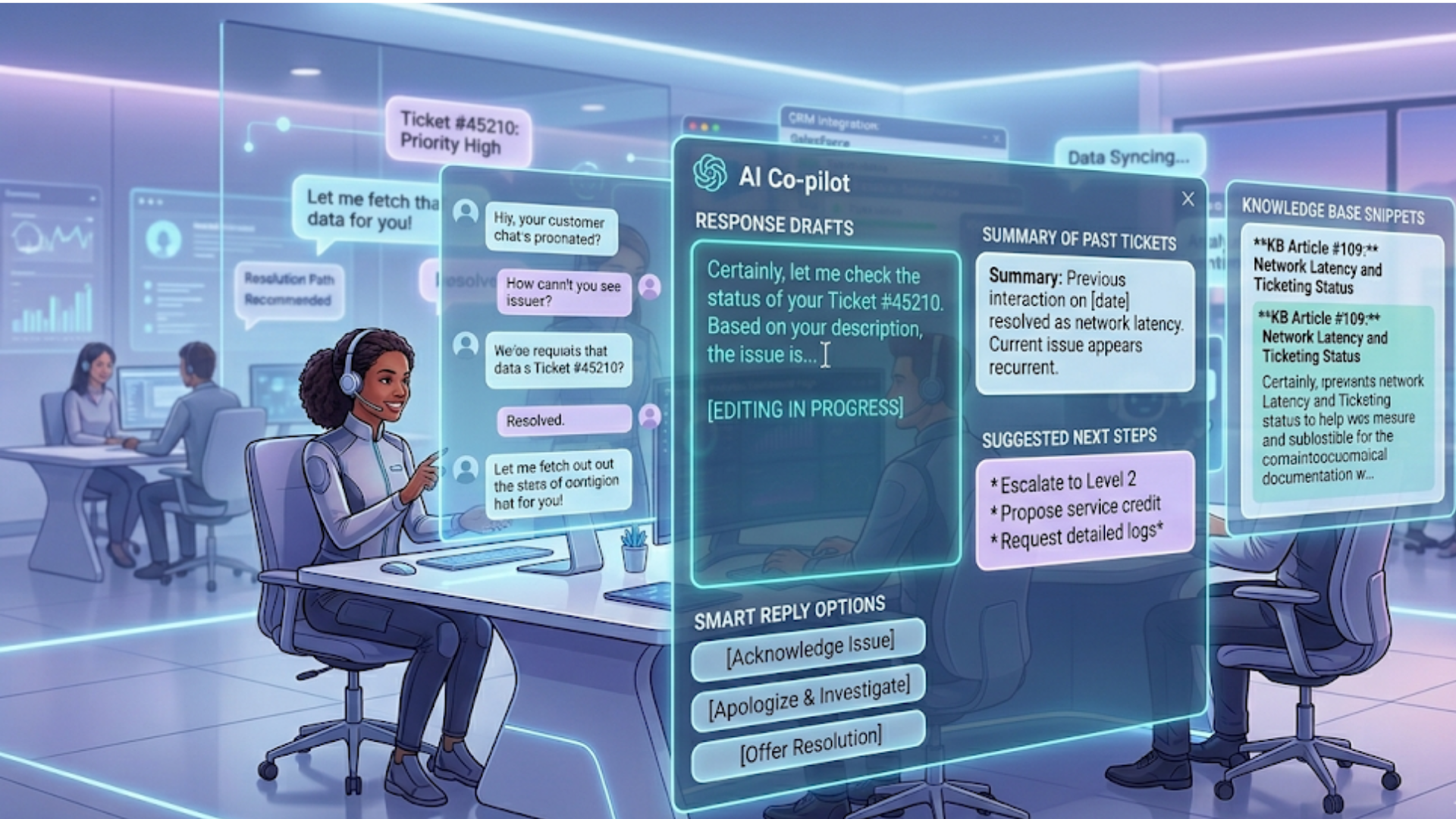
Generative AI is not just for drafting outbound emails. It can write answers, propose next steps, and even draft follow-ups based on ticket history. In 2026, agents will rely on generative AI to research past tickets, propose personalized responses, and create templates that sound human.
Example: an agent receives a technical question about a feature released last quarter. Instead of hunting through release notes, the agent asks the AI to summarize the feature, list known limitations, and draft a troubleshooting script. The agent edits the draft, adds a personal touch, and sends it in minutes.
Common mistake: using generative output without verification. These models can hallucinate facts. Always verify critical details, especially when answers affect billing, compliance, or legal obligations.
Quick implementation idea: pilot a generative "first draft" tool for non-sensitive inquiries. Measure time saved and the quality of edited outputs before widening its use.
Trend 3: Agent assist AI becomes the standard for complex tickets
Agent assist AI gives agents real-time suggestions, relevant knowledge base articles, and next-best-action prompts during an interaction. I’ve seen teams cut handle time by 20 to 40 percent when they use assistive AI well.
Here’s a simple workflow: the AI listens to the conversation, highlights potential root causes, surfaces similar past tickets, and recommends steps based on successful resolutions. The agent stays in control, but works faster and with fewer context switches.
Pitfall to avoid: over-reliance on suggestions. Agents need to retain decision-making authority. Train your teams to see AI recommendations as accelerators, not replacements.
Pro tip: pair agent assist AI with coaching. Use the AI’s suggestions to create micro-training moments, like "You could improve this reply by including X." That helps newer agents learn faster.
Trend 4: Predictive customer support moves from experiments to production
Predictive customer support uses data to anticipate problems before customers report them. That could mean predicting churn, flagging likely refunds, or notifying agents of a high-risk account. In 2026, predictive models will become more reliable and more integrated into day-to-day support tools.
Example: a telecom provider notices a pattern of service drops in a region. Predictive models alert support and ops teams so they can proactively reach out to affected customers and prevent a flood of reactive tickets.
Common error: treating predictions as absolutes. A prediction is a signal, not a verdict. Combine it with human context and follow a playbook for outreach.
Start small: build a model to predict one thing that matters, like refunds. Measure precision and recall, and design a workflow for agents to act on predictions without wasting time.
Trend 5: Self-service automation finally wins customers' trust
Self-service automation has been a promise for years. The challenge was always making it quick, accurate, and context-aware. By 2026, better AI, smarter knowledge graphs, and improved UX will make self-service actually useful for a larger share of inquiries.
Think beyond FAQ pages. Use AI to offer guided diagnostics, interactive flows, and contextual help inside apps. If the AI can detect the user’s state, it can suggest the right article, or start a guided procedure inside the product.
Mistake to avoid: leaving knowledge articles outdated. Self-service only works when content is current. Commit to ongoing content audits and automate stale content detection when possible.
Small experiment: convert your five most common support tickets into interactive guides. Measure resolution rate and escalation reduction after launch. If you’re evaluating whether self-service is worth the investment, it helps to look at a practical AI chatbot ROI guide to understand the real impact on support costs and efficiency.
Trend 6: Omnichannel support AI makes each channel smarter
Customers reach out across chat, email, voice, social, and in-app messaging. Omnichannel support AI will ensure consistent context across all those touchpoints. No more making customers repeat their issue every time they switch channels.
Imagine an intelligent virtual assistant that transfers context from a bot chat to a human agent on the phone. The agent sees the transcript, customers don’t have to re-explain, and resolution happens faster.
Pitfall: siloed systems. If your chat AI, voice AI, and CRM do not share state, omnichannel looks great on slides but fails in reality. Integrate your AI systems with your CRM so conversations stay coherent.
Practical step: pick one customer journey that spans channels, map the handoffs, and plug in context-sharing APIs to reduce friction.
Trend 7: Voice AI customer service becomes natural and useful
Voice AI has matured. In 2026 it will be able to handle natural speech patterns, interruptions, and accents more reliably. Voice interactions will get smarter, turning monologues into structured problems that agents or automation can solve.
Use cases include high-volume phone support with AI drivers that capture intent and route calls more accurately, and "silent" voice-first tools that summarize calls and extract action items for agents.
Common mistake: poor speech-to-text quality. Don’t deploy voice AI without testing in the environments your customers use. Background noise, accents, and domain-specific terms can reduce accuracy.
Tip: record test calls across representative customer profiles and evaluate both ASR accuracy and intent detection before rolling out broadly.
Trend 8: AI CRM integration creates a single source of truth
AI is most powerful when it has reliable, connected data. Integrating AI with your CRM ensures knowledge, customer history, and ticket context feed into AI models. That makes suggestions more relevant and reduces repetitive follow-ups.
For example, AI can read CRM fields to determine a customer’s subscription tier, which helps tailor responses and escalation paths. That single source of truth reduces errors and improves personalization.
Pitfall to watch out for: privacy and data governance. Make sure you understand what data the AI can access and how it is used. Compliance matters, and customers notice when data is mishandled.
Implementation note: start with read-only integrations for non-sensitive fields, measure impact, then expand. Keep audit logs and data access controls in place.
Trend 9: AI-powered customer engagement blends automation with empathy
Automation is efficient, but empathy is what keeps customers loyal. AI-powered customer engagement in 2026 will aim to be both fast and human. That means routing routine tasks to automation while flagging cases where human empathy matters most.
Here’s a quick example: an AI detects a frustrated tone in a message and routes the case to a senior agent with suggested apology language and a small compensation offer. The AI proposes steps, but a person decides whether to accept them.
Common misstep: automating apologies and discounts without human oversight. That can mean expensive, tone-deaf outreach that hurts your brand. Keep escalation rules clear, and let agents override AI recommendations.
Practical test: create a "frustration flag" experiment where emotional cues trigger different responses. Measure customer satisfaction compared to standard routing.
Trend 10: Responsible AI and transparency will be non-negotiable
AI adoption in customer service comes with responsibility. Customers want to know when they are interacting with AI. Regulators demand explainability in some cases. By 2026, transparency, fairness, and data protection will be essential parts of any AI customer service program.
Start with these basics: label AI interactions clearly, document how decisions are made, and create human escalation paths. Train your models on diverse, representative data to reduce bias. Keep a human in the loop for high-risk decisions.
Common oversight: assuming technical teams alone can manage responsible AI. You need cross-functional governance that includes legal, privacy, product, and support leaders.
Small governance step: create a checklist for deploying new AI features, covering data sources, audit logs, fallback paths, and consumer notice requirements.
Putting the trends together: a practical roadmap
So how do you actually get from where you are today to a solid AI-driven customer support stack in 2026? In my experience, a staged approach works best. It lets you learn while you build, and it reduces risk.
Stage 1, quick wins: automate trivial tasks that cost a lot of time. Think password resets, order status, and account verification. Those are safe to delegate and show fast ROI.
Stage 2, agent enablement: introduce agent assist AI and generative drafts. Measure handle time, first contact resolution, and agent satisfaction. Use AI to upskill agents, not replace them.
Stage 3, proactive support: add predictive models and omnichannel context sharing. Start small with one predictive use case, then expand to larger journeys like churn prevention.
Stage 4, conversational intelligence: roll out advanced conversational AI for more complex flows and voice integration. Ensure your data governance is solid before wide deployment.
Stage 5, continuous improvement: build feedback loops. Use customer feedback and agent corrections to retrain models. AI needs care and maintenance, like any other critical system.
Metrics that matter
Too many projects focus only on automation rates. That misses the point. The goal is better outcomes for customers and more effective agents. Here are metrics you should track.
- First contact resolution, because it indicates fix quality
- Average handle time, paired with satisfaction scores
- Agent productivity and time saved, to measure efficiency gains
- Customer effort score, which correlates with loyalty
- Escalation rate for AI-handled tickets; low is good but not at the cost of quality
- Precision of predictive models, to reduce false positives
- Compliance and audit logs, to measure governance coverage
Don’t obsess over any single metric. Look at a small dashboard of complementary measures instead. That gives a fuller picture of whether AI is helping or hurting your customer experience.
Common implementation mistakes and how to avoid them
After advising teams across industries, I’ve seen the same mistakes pop up. Here are practical ways to avoid them.
- Over-automation: Automating everything makes customers feel ignored. Automate low-value, high-frequency tasks first.
- Poor data quality: AI trained on bad data produces garbage. Invest in clean, labeled support transcripts before running big pilots.
- Bad UX: If AI outputs are accurate but hard to use, adoption will stall. Build agent interfaces that reduce friction and context switching.
- No rollback plan: Always have a fallback. If an AI feature causes trouble, you should be able to disable it quickly.
- Skipping agent training: Unfamiliar agents resist AI. Train teams early, and include them in model tuning cycles.
One small example: I worked with a team that deployed an AI response generator without telling agents. The agents distrusted the suggestions and ignored them. After a week of frustration, the team ran a short training session, asked for agent feedback, and updated the templates. Adoption improved dramatically.
Technology checklist: what to look for when evaluating tools
Not all AI solutions are created equal. When you evaluate vendors, look for these capabilities.
- CRM integration: the AI should read and write to your CRM securely
- Context persistence: the system should keep conversation context across channels
- Auditability: you need logs and explainability for decisions
- Fine-tuning: ability to train models on your support data
- Human-in-the-loop controls: agents must be able to edit, approve, or reject AI suggestions
- Multimodal support: text, voice, and attachments handled by the same system
- Security and compliance: encryption, role-based access, and data retention controls
Also ask for case studies in your industry. AI behaves differently in finance than in e-commerce, and you want a vendor that understands your constraints.
People and process: the underrated parts of success
Technology gets headlines, but people and process determine whether AI succeeds. Build cross-functional teams for ownership and governance. Involve support, product, legal, and data science from day one.
Process matters. Define escalation rules, quality review cycles, and content ownership. If a knowledge article is wrong, who fixes it and how fast? Without clear ownership, automated systems rot.
In my experience, the teams that do best are the ones that treat AI projects like product launches. They iterate, measure, and ship improvements frequently.
How Agentia approaches AI-powered customer service
At Agentia, we focus on helping teams combine AI with real human judgment. We build AI helpdesk features that integrate with your existing CRM and support stack, and we emphasize explainability and agent workflow design.
FAQs
1. What are the most important AI customer service trends for 2026?
The most important trends include conversational AI becoming more context-aware, generative AI assisting agents in real time, predictive customer support, and deeper AI CRM integration. Together, these trends focus on improving efficiency while maintaining a high-quality customer experience.
2. How can AI improve customer support without replacing human agents?
AI enhances customer support by automating repetitive tasks, suggesting responses, and providing real-time insights to agents. Tools like Agentia act as assistants, allowing human agents to focus on complex issues, empathy-driven interactions, and decision-making rather than routine work.
3. What are the risks of using AI in customer service?
Common risks include over-automation, inaccurate AI-generated responses, poor data quality, and lack of transparency. These can be mitigated by keeping humans in the loop, validating AI outputs, maintaining clean data, and clearly informing customers when they are interacting with AI.
4. How do you start implementing AI in customer service?
Start with small, high-impact use cases like ticket triaging, account verification, or response drafting. Measure performance, gather agent feedback, and gradually expand to more advanced capabilities like predictive support and omnichannel AI integration.
Helpful Links & Next Steps
- Agentia
- Agentia Blog
- hello@agentia.support
Ready to see how this plays out for your business? Book your free demo today and we’ll walk through a customized ROI calculation for your support stack.