AI Chatbots for Customer Service: Enterprise vs. SMB Solutions (Which Do You Need?)
This blog explains how to choose the right AI chatbot by matching capabilities to business needs rather than brand names. It contrasts enterprise and SMB solutions across scale, customization, integrations, security, cost and deployment time; highlights critical decision factors (volume, complexity, channels, compliance, budget, internal expertise); and stresses integration, quality training data, escalation paths, omnichannel consistency, security, and measurable ROI. The author gives a practical implementation roadmap, common pitfalls, metrics to track, build vs buy guidance, vendor checklist, and real examples. Agentia’s approach emphasizes quick pilots, 90‑day tuning sprints, and transparent KPIs to deliver measurable support improvements.
Most folks get stuck just picking an AI helper for support. Sometimes I see whole teams debating tech terms for days. Other times, someone chooses quickly and moves on. When it comes to Agentia, what really matters isn’t the name—it’s what it delivers. How much work it can handle, how complex the queries are, whether it meets compliance requirements, which systems it integrates with, and the overall cost.
Picture flipping open a trainer’s notebook instead of reading another tech manual. This runs through how big-company bots differ from small-business ones, spots real missteps people make when setting them up, maps where each type works best, then hands over a clear way to choose without guesswork. Call it what you want - just know it’s built for actually using chatbots, not just shopping for them.
Why AI Chatbots Matter Now
Nowadays, handling customer questions without automation feels outdated. Speed matters to people reaching out, just as much as balance does for those answering them. With smart chat systems in place, routine talks grow easier to manage at larger sizes, staff shift toward more meaningful tasks, yet quality stays steady whether online, on phone, or through messages.
Some chatbots work just fine. Yet one made for small stores may answer basic questions well. While something stronger handles many languages at once. Especially when rules matter. Or systems must connect deeply behind the scenes. Even during busy times with loads of users talking at once. Choosing poorly? That slows things down. Costs more later. Hurts how people see your name. As highlighted in our guide on AI customer service trends in 2026, businesses are rapidly shifting toward automation to meet rising customer expectations.
High Level Differences: Enterprise vs SMB Chatbot Solutions
At a glance, here are the main contrasts I recommend you consider before you evaluate vendors.
- Scale and concurrency - Enterprise systems handle large volumes and many simultaneous conversations. SMB tools prioritize ease of use and lower cost.
- Customization and control - Enterprises often need deep customization, custom NLU models, and on-prem or private cloud options. SMB tools focus on templates and quick results.
- Integrations - PRM chatbots integrate with CRM, billing, complex order systems and more channels SMB solutions generally integrate to popular SaaS like Shopify, Zendesk and Slack.
- Security and compliance Data residency, encryption, audit trails and sector compliance is respective to enterprises. Typically, SMBs require standard security and pragmatic privacy controls.
- Cost and Time to Deploy: While enterprise projects can incur higher costs and extend deployment timelines, they are designed for scalability. SMB Tooling Quicker and cheaper to launch.
What "Enterprise" Actually Means
Big company chatbots handle messy setups. Because they’re made for moving talks between departments, linking many internal tools, one rule applies - control must be tight. Even if fancy functions sit idle at first, later growth makes them matter. What seems extra today fits tomorrow’s needs.
Features you should expect in an enterprise solution:
- Advanced natural language understanding that can be tuned for specific domains and dialects
- Omnichannel support across web chat, mobile app, SMS, WhatsApp, and voice
- Enterprise-grade security, single sign on, and compliance certifications
- Flexible deployment, including private cloud or on-prem options
- Robust analytics and observability for performance and compliance audits
These make enterprise chatbots a fit for industries like finance, healthcare, telco, and large retail operations. If your company needs complex workflows, strict SLAs, or regional data control, you should be looking at enterprise solutions.
What "SMB" Actually Means
SMB chatbot tools are about speed and practicality. They help growing teams automate repetitive tasks without a huge IT project. Most SMB solutions are cloud native, come with pre-built templates, and offer a visual builder so non-developers can make changes.
Typical SMB features:
- Quick setup and low monthly cost
- Pre-trained templates for FAQs, returns, order tracking, and lead capture
- Straightforward integrations with helpdesk, ecommerce, and CRM platforms
- Basic analytics that show volume, resolution rates, and common intents
If you're a small ecommerce brand, a local service provider, or an early-stage SaaS company, an SMB chatbot is often the right starting point. You get immediate value, then iterate as you learn.
Key Decision Factors
Don't choose based on size alone. Instead, score your company on these dimensions and let the results guide you.
- Volume of interactions - How many chats or calls do you handle daily? High volume favors enterprise-grade solutions.
- Complexity of requests - Are your customers asking simple FAQs or do they need account-specific help that ties into billing and orders?
- Channels - Do you only need web chat, or do you also need WhatsApp, SMS, chat inside an app, and voice?
- Compliance and data control - Are you in a regulated industry or handling sensitive data?
- Budget and time to value - What's your deadline? How much can you invest now versus later?
- Internal expertise - Do you have developers and data scientists on hand, or will marketing and support manage the bot?
Answer those honestly and you'll know whether you need enterprise chatbot solutions or an SMB chatbot tool.
Integration: Where Projects Succeed or Fail
This is where you can see projects fail, not because the AI was bad; but underestimating integrations. An Order Status/Refund chatbot who cannot read order status or provide refunds is in many ways a restricted bot.
Key integrations to plan for:
- CRM and ticketing systems
- Order management and billing
- Authentication and user profiles
- Knowledge base and documentation systems
- Analytics and BI platforms
Businesses have built-in connectors to popular apps, meaning a quicker time to value for SMBs. Custom middleware and APIs are often needed for businesses [of course]. Integrating with finance or legal systems should be viewed as a large component if your support workflows touch those systems
Natural Language Understanding and Training Data
The quality of the training data determines how intelligent your chatbot really is. Teams sometimes deploy a generic chatbot, trained on standardized sets of training data and wonders why it consistently misreads customer
Practical tips:
- Start with real transcripts. Pull actual support chats or call logs to build intent models.
- Label progressively. You do not need perfect labels from day one. Add annotations over time as the bot interacts.
- Use fallback paths. If the bot is uncertain, route to a quick clarification flow instead of guessing.
- Monitor confusion. Track intents that get confused and retrain monthly, not yearly.
Enterprises usually have more labeled data and can build domain-specific models. SMBs can get surprisingly good performance by combining templates, common phrase lists, and a feedback loop from agents.
Escalation and Blended Support
One common misconception is that chatbots should be fully autonomous. In my experience that's rarely practical. The point is to blend automation and human support in the right proportions.
Design escalation paths that let the bot handle routine tasks and hand off complex issues smoothly. Your bot should:
- Detect intent and confidence. If confidence is low, ask a clarifying question.
- Offer agent takeover early for sensitive or complex issues.
- Capture context so agents don't ask customers to repeat themselves.
- Allow callbacks, chat transcripts, and attachments to move to tickets.
Blended support improves agent productivity and customer satisfaction. It's also an easier sell to leadership because it mitigates risk.
Omnichannel Support and Consistency
Customers don't think in channels. They expect the same experience whether they're on your website, your app, or texting you. Delivering consistent answers across channels is harder than it sounds.
Keep these points in mind:
- Centralize your knowledge base so the bot uses the same source of truth everywhere.
- Standardize tone and escalation rules across channels.
- Track cross-channel journeys. A chat might start in web chat and continue in email. You need that history.
Enterprise platforms excel at this because they were built for scale and multiple touchpoints. Many SMB tools support two or three channels well, and that might be enough to start.
Security, Privacy, and Compliance
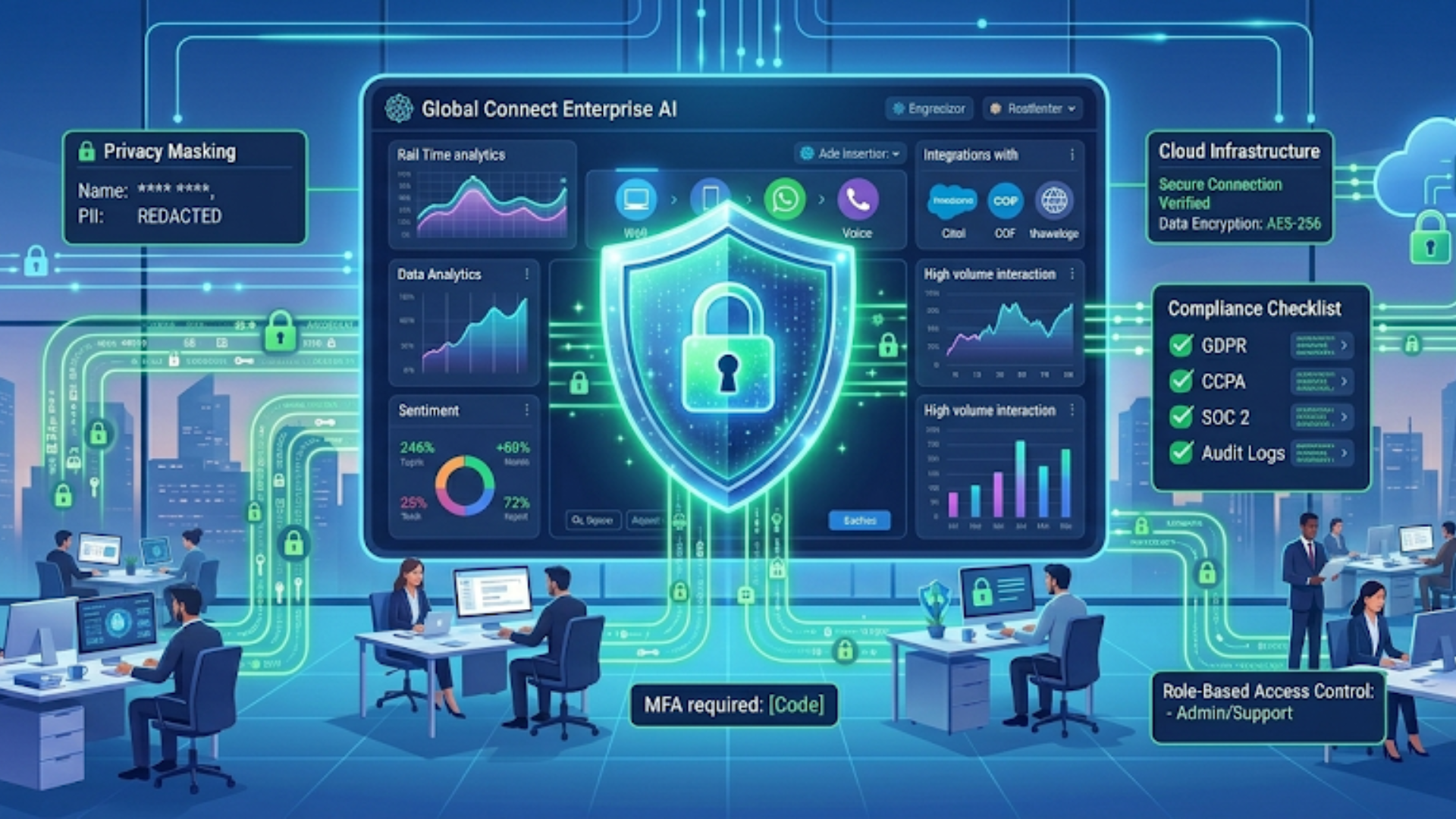
Security is not optional. Now is the time to clamp all those screws tight, if you are working with PII or payment card data. For enterprises, that will be data residency, encryption in rest and motion, role-based access control and audit logs.
SMBs should still require:
- Secure APIs and token management
- Data minimization practices
- Clear data retention policies
- Opt-out and privacy disclosures in chat flows
A quick mistake I see is copying and pasting sensitive fields into chat logs. Train your team to avoid that and implement automated redaction where possible.
Cost Considerations and ROI
Budget conversations often miss hidden costs. The software license is just one part. Plan for integration, training, content creation, and ongoing tuning. Here is a breakdown that helps me set expectations with clients:
- Implementation and integration costs
- Training and change management
- Ongoing tuning and data labeling
- Hosting and overage charges
- Support and maintenance
To estimate ROI, think about:
- Cost per contact saved when resolved by a bot
- Agent deflection and capacity freed for complex tasks
- Reduction in average handle time with pre-filled context
- Revenue captured from better lead qualification or 24/7 support
Small wins add up. For SMBs, 10 percent ticket deflection from a simple chatbot can be strong business case-driven ROI. ROI for enterprises is usually through reduced handle time, compliance automation and adherence to SLAs.
Common Mistakes and Pitfalls
Everyone makes mistakes launching chatbots. Here are the ones I see most often, and how to avoid them.
- Over-automation. Bots that try to do everything fail at the hard things. Start with clear, limited use cases. Expand gradually.
- Poor training data. Using generic datasets leads to wrong answers. Use your transcripts and logs.
- No escalation plan. If agents are not in the loop, customers get frustrated. Make handoffs smooth and track them.
- Ignoring analytics. If you don't measure intent confusion and fallback rates, you don't know what to fix.
- Underestimating integrations. A bot that can't query order status or update accounts is just a FAQ page in a chat window.
Implementation Roadmap
Here's a practical step by step roadmap I give my clients. It's simple, but it works.
- Define scope. Pick two to three high value use cases like order tracking, password reset, or returns.
- Collect data. Pull transcripts, email threads, and top support topics. Label a small seed set for intents.
- Choose platform. Match platform capabilities to your decision factors. If you need complex integrations, evaluate enterprise options.
- Build and test. Create flows, train NLU, and run pilot tests with real customers or staff.
- Launch in phases. Start with a low-risk channel, monitor metrics, and iterate.
- Measure and optimize. Track deflection rate, resolution rate, fallback rate, and CSAT.
- Scale. Add channels, languages, and more use cases when the bot is stable.
That sequence avoids paralysis. It also reduces cost risk and helps you show wins early.
Simple Examples
I like practical examples. They help teams decide quickly.
Example 1: Small ecommerce shop
- Need: Answer common questions about shipping, returns, and order status. Handle simple refunds.
- Best fit: SMB chatbot tool with Shopify and Zendesk integrations, built-in templates, and a visual flow editor.
- Why: Fast setup, low cost, and immediate reduction in ticket volume. You can expand later.
Example 2: Mid-market SaaS company
- What was needed: User authentication, account setting surfaced background and support case escalation up to billing with context.
- Best fit: Mid-market enterprise-leaning solution with secure APIs and CRM integration.
- Why: You need to tie in user profiles and handle sensitive account actions.
Example 3: Large telco or bank
- Requirement: Multi-lingual, Call Deflection to voice bots, Strong compliance and Complex back-end integrations
- Best fit: Enterprise conversational AI with private cloud options and direct integration into billing, CRM, and fraud systems.
- Why: High volume and regulatory requirements demand an enterprise solution.
Build vs Buy: Quick Checklist
Deciding whether to build your own chatbot or buy a platform depends on resources and time horizons. Here are simple heuristics I use with teams.
- Build if you have unique IP in conversation flows and a large engineering team to maintain models and infra.
- Buy if you want speed, proven connectors, and enterprise support. Most teams are better off buying unless conversational AI is core to your product.
- Hybrid option: Use a platform and build custom middleware for special integrations.
Remember, even if you build, you'll likely use third-party NLP models or tooling. So it's rarely a pure from-scratch project.
Measuring Success: Metrics That Matter
Pick a few metrics and focus on them. Don't try to track everything at once.
- Deflection rate: Percent of queries handled by the bot without human intervention
- Resolution rate: Percent of bot interactions that resolved the customer's issue
- Fallback rate: Frequency of "I didn't understand that" responses
- Time to resolution: How long it takes to close a case when the bot is involved
- CSAT: Customer satisfaction specifically for bot-handled interactions
These tell you if the bot is actually helping. High deflection with low CSAT is worse than moderate deflection with high CSAT. Customers remember bad conversations more than good ones.
User Experience Tips
Good UX is the difference between a helpful assistant and a frustrating robot. A few practical tips I've learned:
- Start the chat with a simple menu for common actions. Not everyone likes to type long requests.
- Use conversational confirmations. When the bot does something for the user, confirm what happened.
- Keep responses short and scannable. People skim. Use bullets in the chat where possible.
- Be transparent about being a bot. Customers appreciate clarity and it sets expectations.
- Offer a clear way to reach a human at any time.
Small UX choices like these increase completion rates and reduce frustration.
Training Teams and Change Management
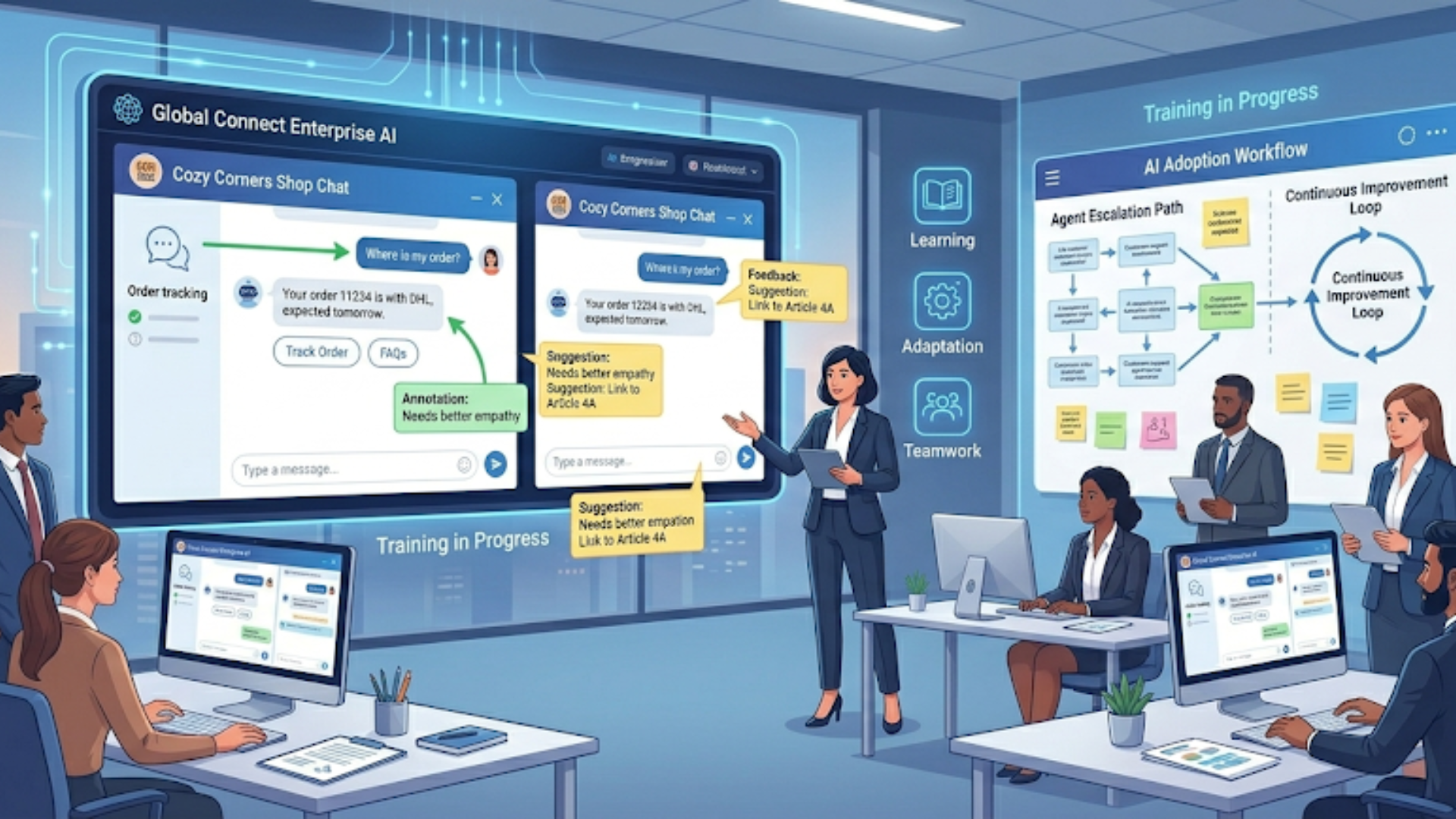
Technology alone won't solve support challenges. You need people and processes. Train agents on how to use bot transcripts, how to take over conversations, and how to feed corrections back into the models.
Practical activities to run during rollout:
- Workshops with support and product teams to define bot scope
- Shadow sessions where agents watch bot conversations and annotate improvements
- Weekly tuning sprints to review confused intents and update replies
In my experience, teams that involve agents early get faster adoption. Agents become champions instead of seeing the bot as a threat.
Vendor Evaluation Checklist
When you review vendors, use a checklist to avoid shiny object syndrome. Here is a practical list to start with:
- Does it support the channels we need?
- How does it integrate with our CRM and order systems?
- Can we host data where we need it?
- How easy is it to update content and flows without engineers?
- What analytics are provided and can we export data?
- What are the true costs, including overage and integration fees?
- Is there a clear escalation flow to human agents?
- What support and onboarding services are included?
Ask for a short pilot. Give vendors a simple scenario drawn from your real tickets. A pilot shows their integration capabilities and how they tune NLU for your domain.
Real-World Signals You're Ready for Enterprise
Here are some signs it's time to move from SMB tools to enterprise chatbot solutions.
- Your monthly interaction volume is in the tens of thousands or more
- Your operations span multiple countries and languages
- You need strict data residency or sector compliance
- You require deep integrations with legacy systems
- Your business needs complex workflows that go beyond simple FAQs
If three or more items apply, start evaluating enterprise vendors and plan for a longer implementation cycle.
How Agentia Approaches Chatbot Implementation
At Agentia, we've worked with both startups and enterprises on chatbot implementation. What I've noticed is that good outcomes come from practical alignments: matching tool capability to use case, planning integration work up front, and treating the first 90 days as a tuning sprint.
We focus on outcomes like ticket deflection, improved agent efficiency, and measurable CSAT gains. Our approach balances speed and rigor. If you need something quick, we can launch a templated bot that reduces tickets in weeks. If you need complex, compliant automation, we build a roadmap with phased rollouts.
Clients tell us they like that we keep things transparent and measurable. That means clear KPIs, regular checkpoints, and training for in-house teams so improvements keep happening after launch.
Quickly Evaluate Your Needs (Mini Check)
Answer these quick questions to steer your choice:
- Do you need multi-channel support right away? Yes: consider enterprise. No: SMB tool might work.
- Are you regulated or handling sensitive data? Yes: enterprise. No: either option.
- Do you have engineering bandwidth? Yes: you can consider custom or hybrid. No: buy an SMB or enterprise managed solution.
- Is time to value critical? Yes: go with SMB or a vendor that guarantees a pilot within weeks.
If you get mostly Yes for the enterprise path, set expectations for integration, budget, and timelines accordingly. If not, start small and iterate. Both approaches can scale if planned correctly.
FAQs
1. What are AI chatbots for customer service?
AI chatbots for customer service are automated tools that use natural language processing (NLP) to understand and respond to customer queries. They help businesses handle routine questions, reduce response times, and improve support efficiency across channels like websites, apps, and messaging platforms.
2. What is the difference between enterprise and SMB chatbot solutions?
Enterprise chatbot solutions are built for scale, offering advanced customization, deep integrations, and strict security compliance. SMB chatbot tools focus on ease of use, faster deployment, and lower costs, making them ideal for smaller teams with simpler support needs.
3. How do I know if my business needs an enterprise chatbot?
You likely need an enterprise chatbot if you handle high volumes of customer interactions, require multi-language support, operate in a regulated industry, or need deep integrations with systems like CRM, billing, or legacy platforms.
4. What is the ROI of implementing AI chatbots for customer service?
The ROI comes from reduced support costs, faster resolution times, and improved customer satisfaction. Businesses often see value through ticket deflection, lower agent workload, and 24/7 support availability, even with a modest implementation.
Final Takeaways
Choosing between enterprise chatbot solutions and SMB chatbot tools is about fit, not prestige. Match the tool to your current and near-term needs. Start with the smallest worthwhile project, measure everything that matters, and iterate fast.
My parting practical advice: focus on a few mission-critical automations, pull real transcripts to train the model, and build clean escalation paths to humans. You'll avoid most common mistakes and show real ROI quickly.
Helpful Links & Next Steps
- Agentia: AI customer service and chatbot expertise
- Agentia Blog
- Book your free demo today
hello@agentia.support
If you want help mapping a chatbot approach for your business, I'm happy to chat. Book your free demo today and let's look at your tickets together to find quick wins and a scalable roadmap.