Automated Customer Support: The Complete Playbook for 2026
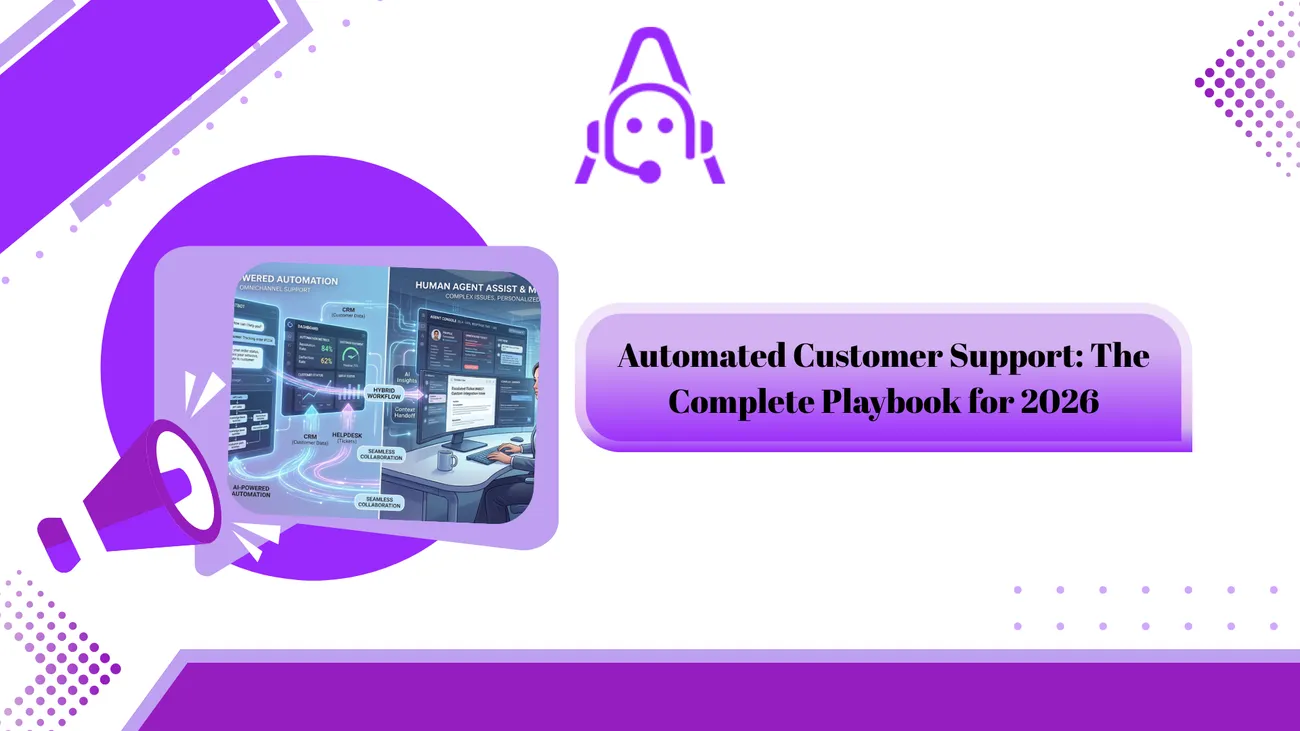
This blog argues that practical, human-centred automation is the most effective way to scale customer support. It explains why automation matters in 2026, what tools and technologies (NLU, chatbots, retrieval, RPA, analytics) enable it, and how to design systems that automate routine tasks while preserving human oversight. The author gives a step‑by‑step roadmap from pilot to scale, measurable metrics to track, common pitfalls to avoid, vendor selection criteria, security considerations, and simple example automations. The purpose is to help teams implement small, measurable wins that reduce costs, improve response times, free agents for higher‑value work and improve customer satisfaction.
If you manage support for a SaaS product, run an eCommerce customer operations team, or are building CX systems for an enterprise, you already know one truth: volume keeps growing while budgets do not. I’ve seen support teams stretched thin, chasing tickets instead of fixing root causes. Agentia isn’t a magic wand but when used right, it changes the game.
This guide lays out clear moves, key tools, backfires to dodge - helping you grow automated support while keeping service human. Expect breakdowns anyone can grasp, plug-and-play cases straight off the page, plus a path from curiosity to real outcomes fast, not someday down the line.
Why automation matters in 2026
Now well beyond the initial excitement, automation focuses on real results. Faster replies come through clearer processes instead of just speed alone. Each support request costs less when handled efficiently over time. Agents do more without being stretched too thin. Customers stay happier when issues resolve smoothly. Tools powered by artificial intelligence now work reliably in daily operations. Chatbot automation now includes language models that can use your product documentation to answer tricky questions. If you want to go deeper, check out our guide on AI chatbots for customer service. Helpdesk automation integrates with CRMs, payment systems, and inventory so actions are consistent across channels.
Here’s the practical upside. Automated ticketing systems reduce repetitive work. AI chatbots for support handle basic requests instantly. That frees agents to solve complex problems. You get velocity without losing control. In my experience, teams that focus on the right mix of automation and human oversight cut response time in half and safely reduce headcount needs or redeploy people to higher value work.
What automation actually looks like
- Automated ticketing system that triages and routes issues based on intent and priority.
- AI chatbots for support that handle common questions and complete simple tasks like refunds or password resets.
- Knowledge base automation that keeps help articles current by surfacing outdated content and gaps.
- Omnichannel customer support where conversations on chat, email, social, and phone share context and state.
- Agent assist tools that suggest responses, surface internal docs, and detect sentiment.
These are not separate islands. The best systems share data and let automation flow across channels. That’s omnichannel customer support done right.
Core technologies you need to understand
No need to memorize every acronym. But you should know what each piece does and where it helps.
- Natural language understanding for parsing intent and extracting entities from messages. This powers triage and routing.
- Chatbots and conversational AI for handling scripted and semi-structured interactions. They can be rules-based, model-based, or hybrid.
- Retrieval systems and vector stores that let LLMs consult your manuals, previous tickets, and policies in real time. This is often called retrieval-augmented generation.
- Automated ticketing systems that create, tag, and route issues automatically. Integrations with CRM and billing are essential.
- Robotic process automation for repeatable backend tasks like updating records, issuing refunds, or running reports.
- Analytics and observability to measure CSAT, first response time, resolution time, deflection rate, and cost per ticket.
In practice you’ll mix these. For example, an incoming chat is parsed by NLU, answered by a chatbot using a vector store, and if needed it escalates to a human where agent assist pulls up the customer history automatically.
Design principles for human-centred automation
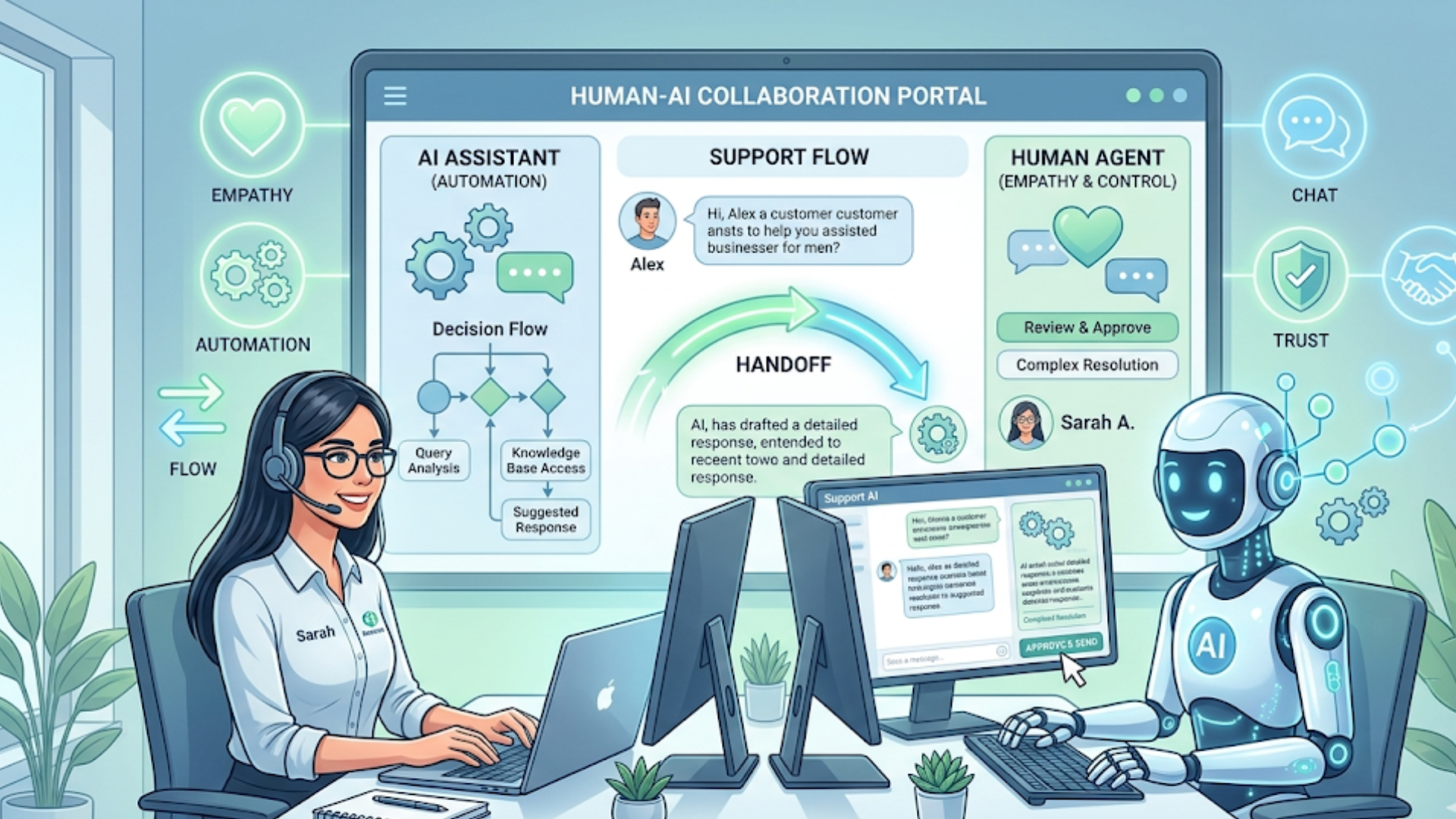
Too many projects start with “Let’s automate everything.” That’s a trap. I prefer starting with a few simple principles that keep customers and agents happy.
- Automate the easy, augment the hard. Let bots handle standard, repeatable tasks. Keep humans for judgment calls and escalations.
- Keep customers informed. If a bot can’t solve something immediately, tell the customer what will happen next and when. Transparency reduces frustration.
- Design for handoff. Handoffs should be seamless. Carry the full conversation context and the actions already taken.
- Measure outcomes, not activity. Track satisfaction, resolution quality, and cost per outcome. Don’t celebrate only fewer tickets.
- Start small and iterate. Launch a targeted pilot for a single use case, measure, and expand once you hit goals.
These principles make it less likely that automation will annoy customers or create more work for agents. Trust me, I’ve seen systems built without clear handoffs and they caused more tickets than they solved.
Practical roadmap: from pilot to scale
Here’s a step by step that works for teams of any size. I’ve used this on projects that went live in six to eight weeks for a pilot and then expanded over months.
-
Discovery and data review
Identify high-volume intents, peak times, and common escalations. Pull a sample of recent tickets and chats. Look for patterns: same phrasing, same missing info, same manual steps.
-
Prioritize use cases
Pick 2 to 5 initial use cases that are high frequency and low risk. Examples: password reset, order status, billing adjustments, plan changes, basic troubleshooting.
-
Build a minimum viable flow
Create simple bot flows for those use cases. Make sure you can escalate to an agent with context. Integrate with your helpdesk so tickets are created automatically when needed.
-
Instrument and measure
Track CSAT, first response time, resolution time, deflection rate, and cost per ticket. Also log handoff rates and false positives where automation failed.
-
Refine with human-in-loop
Use agent feedback to update intents, tweak training data, and improve knowledge base articles. Agents should be part of the iteration loop.
-
Expand and scale
Once you reach performance targets, add more channels and more use cases. Automate backend tasks with RPA and integrate with other systems.
-
Govern and review
Set quarterly reviews for accuracy, policy changes, and model drift. Keep the documentation current and involve security and compliance teams.
Common mistakes and how to avoid them
Let me save you some pain. These are patterns I see over and over.
- Trying to automate everything at once. Start with small, measurable wins. Big-bang projects rarely succeed.
- Ignoring handoffs. If the bot hands off poorly, customers repeat information and get upset. Always pass context and the steps already taken.
- Not measuring the right things. Tracking only ticket volume hides the truth. Watch satisfaction, re-open rate, and cost per resolved customer issue.
- Skipping agent training. Agents need to know how to use assist tools and how to correct bot errors. Include them from day one.
- Overpersonalizing without guardrails. Personalization helps, but it can leak data or introduce bias. Put privacy and safety checks in place.
- Relying on canned responses. Scripts are fine for scale, but they can sound robotic. Use dynamic templating to keep replies natural.
How to pick the right tools
There’s no single vendor that fits every need. Instead, match tools to capability and maturity level. Ask these questions during vendor selection.
- Does the tool support omnichannel customer support out of the box?
- Can it connect to our CRM, billing, and internal apps via APIs?
- How does the chatbot handle unknown or ambiguous queries?
- Is there an easy way for agents to correct or train the model using real conversations?
- What compliance certifications and data residency options are available?
- Does the platform provide analytics on deflection, CSAT, and cost savings?
In my experience, platforms that excel are those which make integrations simple and let you export data for custom analytics. You don’t want to be locked in or forced to retrain models from scratch every quarter.
Metrics that matter
You’ll hear many vanity metrics. Ignore the ones that don’t connect to outcomes. These are the metrics I recommend tracking from day one.
- First response time and average response time.
- Resolution time and time to resolution for automated flows.
- Deflection rate — percent of inquiries handled without reaching an agent.
- CSAT and NPS for both bots and agents.
- Cost per ticket before and after automation.
- Escalation rate and re-open rate for automated interactions.
If your deflection rate rises but CSAT falls, you automated the wrong pieces. If cost per ticket drops while CSAT stays flat or improves, you’re doing it right.
Simple examples you can implement today
Here are three small, high-impact automations you can set up in a few weeks. No advanced ML projects required.
-
Password reset flow
A bot verifies identity, sends a reset link, and attaches a ticket if the reset fails. Result: fewer phone calls and faster resolution.
-
Order status updater
Integrate your order system with a chatbot. Customers ask about delivery and get real-time status. If the system flags a delay, the bot offers compensation options and creates a ticket for review.
-
Billing inquiry triage
Use intent detection to classify billing questions. Simple issues are resolved automatically. Complex disputes get routed to a billing specialist with full context and suggested next steps.
These examples are small but they add up. Start with one, measure, and then add more.
Human in the loop: where people still matter
Automation should not be about removing people. It’s about reallocating them. Agents still excel at empathy, complex negotiation, and creative problem solving. Use automation to remove grunt work so agents can do what they do best.
Here are practical ways to keep humans central:
- Let agents approve actions suggested by bots, especially for refunds or policy exceptions.
- Surface context and suggested next steps, not just canned scripts.
- Use agent corrections to retrain models. Make feedback a simple button press.
- Keep a human escalation path visible and fast. Customers want to know they can reach a person.
I’ve seen the best results when teams give agents tools that reduce busy work while preserving final decision authority.
Omnichannel strategy that actually works
Customers expect consistent answers whether they message on chat, email, or social. Acting like each channel is a separate silo hurts the experience and doubles work for your team.
Practical tips:
- Share conversation state across channels. If a customer starts in chat and follows up on email, the agent should see the prior chat transcript instantly.
- Use the same knowledge base and intent catalog across all channels to avoid contradictory answers.
- Match channel to use case. Use chat and chatbots for common, high-frequency requests. Keep voice for troubleshooting that needs conversation depth.
Omnichannel customer support is less about adding more channels and more about connecting them thoughtfully.
Security, privacy, and compliance
Automating support adds convenience but also risk if you’re not careful. Personal data might flow through bots and third-party models. Make sure you have controls in place.
- Encrypt data in transit and at rest. Use role-based access control for sensitive systems.
- Apply data minimization. Don’t store more customer data than you need to resolve an issue.
- Review third party AI providers for data use policies. Know whether they can see or reuse your content.
- Design redaction steps for sensitive information in logs. That protects you during audits and incident investigations.
Legal and security teams often slow projects down, but they’re right to ask questions. Involve them early and make security non negotiable.
Scaling tips: what to automate next
After you’ve proven the basics, here are automation areas that pay off as you scale.
- Proactive outreach such as notifying customers about delays, outages, or billing problems before they reach out.
- Automated quality checks where models monitor agent conversations and surface compliance or coaching opportunities.
- Advanced RPA to automate multi-step backend workflows, reducing cycle time for refunds, returns, and complex account changes.
- Self-service personalization that uses customer data to surface relevant articles and actions on the support portal.
Proactive messages can reduce inbound volume by solving issues before customers open a ticket. But keep frequency reasonable. Too many alerts and people tune out.
Vendor and integration checklist
When evaluating vendors, use a checklist to compare apples to apples. Here’s a quick one I use with teams.
- Does it support APIs for CRM, billing, and your helpdesk?
- Can the system export logs and analytics easily for internal BI?
- How customizable are bot flows and handoffs?
- Does the vendor offer role-based admin controls and review workflows?
- What SLAs do they commit to for availability and data access?
- What are the costs at scale? Look beyond per-conversation pricing to storage and API costs.
Pick vendors that help you move fast and avoid ones that require months of professional services just to get started.
Realistic ROI expectations
Everyone wants to know when automation pays back. Typical outcomes I’ve seen:
- 20 to 50 percent reduction in simple ticket volume through deflection when implemented well.
- 30 to 60 percent faster first responses thanks to automated triage and suggested replies.
- 15 to 40 percent reduction in cost per ticket depending on how many backend processes you automate.
Those ranges depend on the business and the use cases chosen. Expect early wins to be modest. The real value shows up after 6 to 12 months when you compound better documentation, agent training, and improved models.
Case examples and quick stories
Short, real examples are useful. I’ll keep these simple.
- SaaS support team automated password resets and tiered plan changes. That cut routine tickets by 35 percent. Agents focused on onboarding issues and churn fell.
- eCommerce brand added an order status chatbot connected to their fulfillment system. They reduced phone calls during peak season and increased on-time delivery notifications.
- Enterprise IT used RPA to automate account provisioning for new hires. Helpful step: they logged every action so IT audits were painless.
These are small wins that compound. You don’t need a huge project to get big benefits.
What success looks like at 6 and 12 months
Here’s a simple checklist to know if your automation program is working:
- At 6 months: Pilot is stable, CSAT for automated flows matches or exceeds baseline, and agents report less repetitive work.
- At 12 months: Multiple use cases are live, deflection and cost per ticket are improving, and you have a governance cadence for model and content updates.
If you don’t hit these, you likely automated the wrong things or skipped agent feedback. Go back, listen to agents and customers, and iterate faster.
FAQs
1. What is automated customer support and how does it work?
Automated customer support uses technologies like AI chatbots, automated ticketing systems, and workflows to handle customer queries without constant human involvement. It works by understanding customer intent, providing instant responses, completing simple tasks (like password resets or order tracking), and escalating complex issues to human agents when needed.
2. Will automation replace human support agents?
No, automation is designed to assist—not replace—human agents. It handles repetitive and low-complexity tasks, allowing agents to focus on high-value interactions that require empathy, judgment, and problem-solving. The best results come from a balanced human-in-the-loop approach.
3. What are the main benefits of automated customer support?
Key benefits include faster response times, reduced support costs, improved scalability, consistent customer experience, and higher agent productivity. Businesses also gain better insights through analytics, helping them continuously improve support operations.
4. How do I start implementing automated customer support?
Start by identifying high-volume, repetitive support queries such as password resets or order status requests. Build simple automation flows for these use cases, integrate them with your helpdesk, and measure performance. Begin with a small pilot, refine based on feedback, and scale gradually.
A few closing pieces of advice I give teams that want to win with automation.
- Start with data. Let ticket samples drive use case selection.
- Make handoffs smooth and visible. Nothing frustrates customers more than repeating themselves.
- Keep agents involved. Their feedback is your fastest path to improvement.
- Measure the right things. Track outcomes, not activity.
- Think long term. Build for maintainability. Models and content need attention regularly.
You don’t need to reimagine your entire support org overnight. Small wins stack up. I’ve watched teams shift from firefighting to product improvement simply by automating repetitive tasks and using the freed time for coaching and root cause analysis.
Helpful links and next steps
- Agentia
- Agentia Blog
hello@agentia.support
If you want a guided walkthrough tailored to your stack, Book your free demo today. We’ll look at your ticket patterns, recommend high-impact pilots, and show how automation can scale without hurting customer experience.
Thanks for reading. If you want a follow up checklist or a short template for running a 6 week pilot, say the word. I’ve helped teams run those and I can share the templates and sample metrics that make reporting simple.