WhatsApp Automatic Reply: The Smart Way SMBs Are Automating Customer Conversations
If you're running a small or medium business, you've probably felt the pressure of answering the same customer questions over and over. I have. It eats time and dulls focus. That's why WhatsApp automatic reply has become such a practical tool for SMBs. It helps teams respond faster, capture leads without manual effort, and keep customers informed with little fuss.
I will be explaining in this blog post how the WhatsApp business automation impacts real businesses. You will be exposed to scenarios such as customer service, lead acquisition, and order notifications. Also, I will be giving some useful advice, mentioning typical mistakes, and providing an easy way to set up the system so that you can begin automating your customer chats with minimal effort.
Why WhatsApp for SMBs?
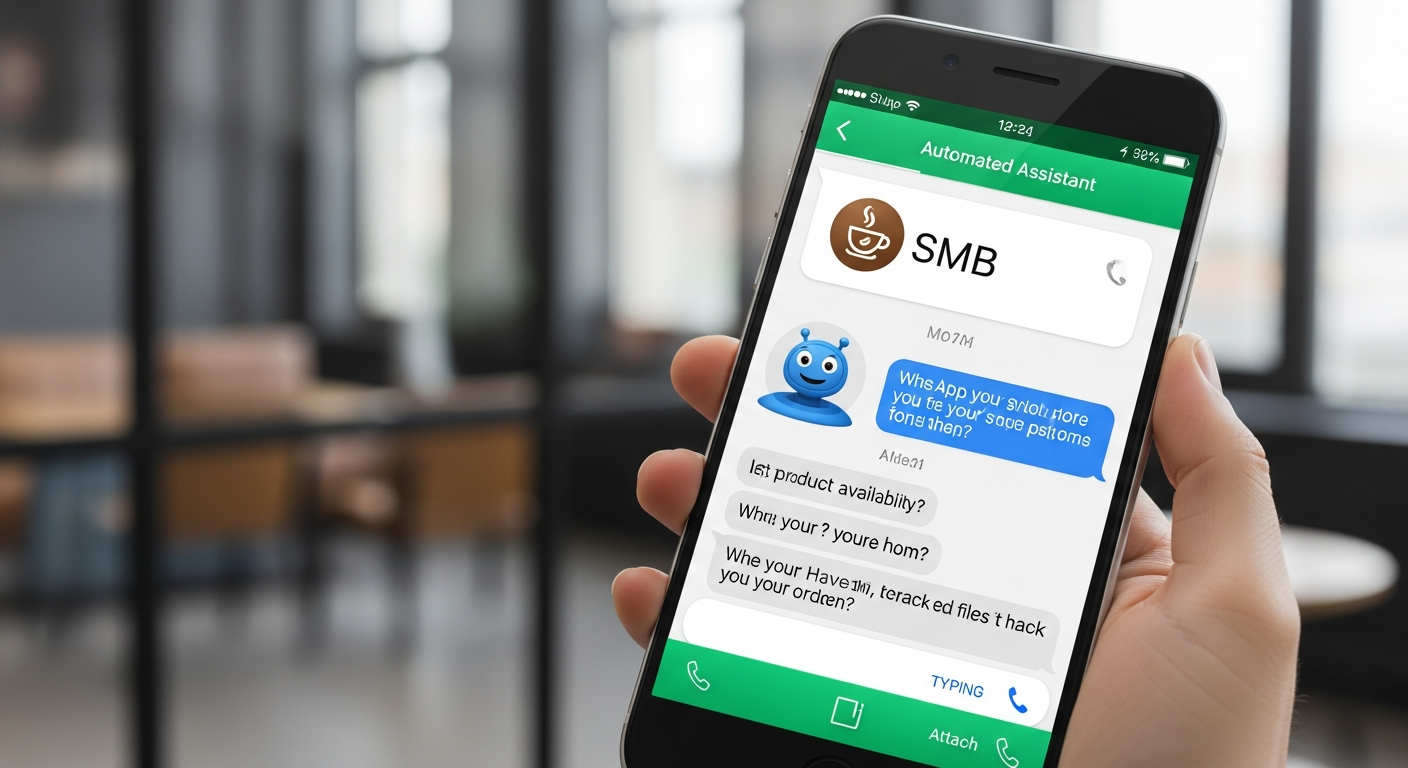
Ask anyone who runs a local shop or a digital-first startup and they'll tell you the same thing. Customers message on WhatsApp because it’s easy, familiar, and immediate. For many markets, WhatsApp is the default channel for customer communication.
Here are a few quick reasons it makes sense for SMBs:
- High open rates. Messages get read fast. Much faster than email.
- People expect quick responses on messaging apps. Slow replies lead to lost sales.
- It’s conversational. You can send text, images, voice notes, and templates.
- It scales. With automation you go from handling a few chats to thousands without scaling headcount the same way.
I've seen businesses win new customers simply by being the first to reply. Speed matters. And WhatsApp automatic reply is one of the easiest ways to be fast, consistently.
What is a WhatsApp automatic reply?
What Is a WhatsApp Automatic Reply? At its most basic, a WhatsApp automatic reply is an automated message that is sent in response to certain events. This might occur for example, when a new message is received, a customer inquires about your hours, or a change in the order status takes place.
There are several methods for setting up automatic replies:
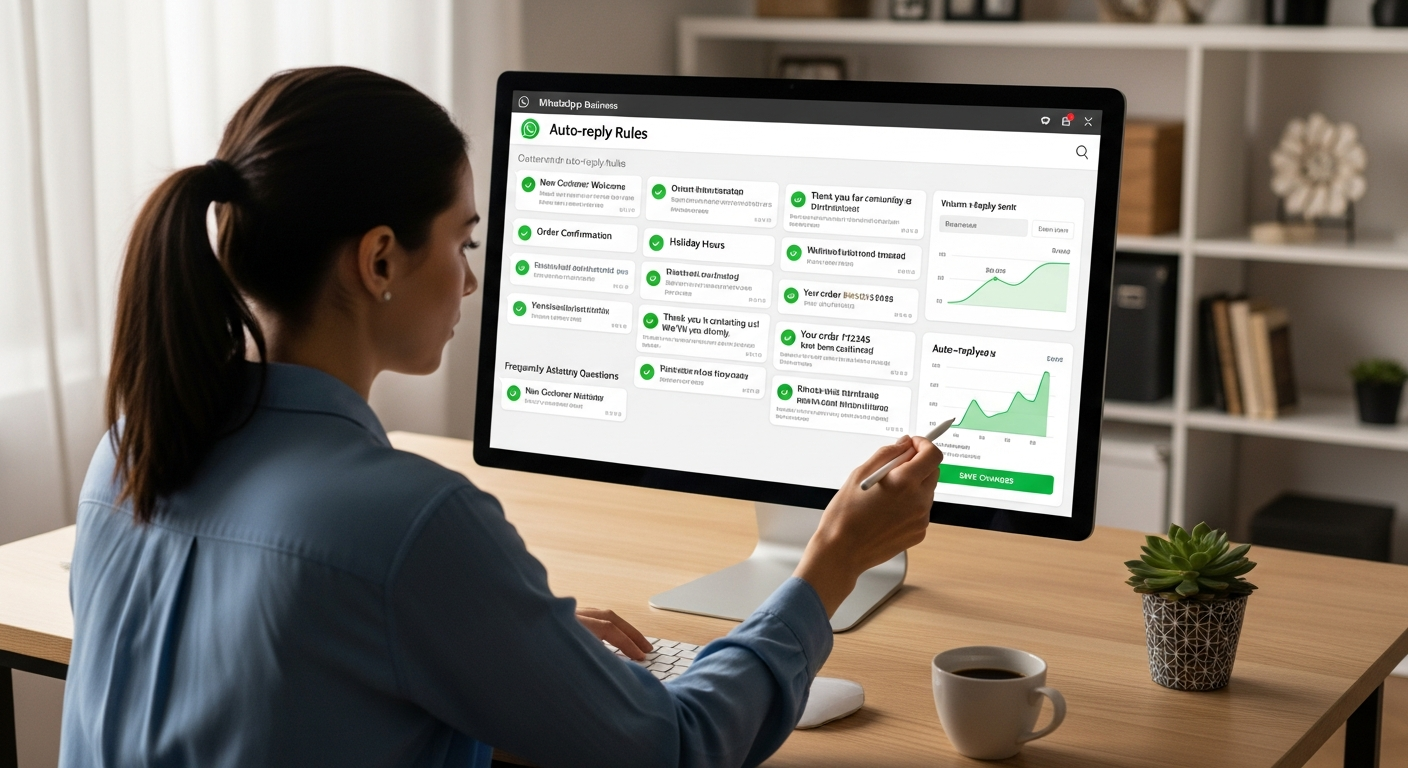
- Built-in replies in the WhatsApp Business app, like away messages and greeting messages.
- Quick replies that let agents insert saved messages in one tap.
- WhatsApp Business API integrations and chatbots that trigger replies based on rules or NLP. This is where WhatsApp business automation scales.
Which one you need depends on volume and complexity. If you're answering a handful of daily questions, the Business app may be enough. If you want to automate lead capture, route conversations, and integrate with your CRM, you'll want an automation platform or a WhatsApp chatbot for business.
Common use cases for WhatsApp automatic reply
Let’s break this down into real scenarios. I like to think in terms of customer goals. What is the customer trying to do? Then map an automated response to help them get there quickly.
1. Customer support and FAQs
Most small businesses hear the same questions repeatedly. Store hours, return policies, payment methods. Set up automated replies so customers get instant answers. Quick replies let staff respond fast when human intervention is needed.
Example: A bakery gets daily messages about whether they sell gluten-free bread. An automated reply can provide the answer, show a photo, and offer to reserve a loaf. That saves several minutes of back-and-forth and prevents missed sales.
2. Lead generation
You can capture leads without a form. Ask a few qualifying questions automatically, then route warm leads to a salesperson. This is one area where WhatsApp lead generation shines.
A real estate professional employs a standardized process to inquire about the financial plan, desired areas, and times for viewing. Should a prospect qualify, the system sends a link to the calendar for booking a viewing and, at the same time, informs the agent through the CRM.
3. Order updates and delivery notifications
Customers want clear timelines. Automated WhatsApp order updates reduce anxiety and inbound status checks. Send confirmations, tracking links, and delivery windows automatically.
Example: An online retailer sends a message when an order is confirmed, another when it ships, and a final one with the courier's live tracking link. That cuts down status calls and support tickets.
4. Appointment booking and reminders
Automate confirmations and reminders. This reduces no-shows and manual scheduling work.
Example: A salon asks for preferred stylist and time through an automated conversation. The system confirms and sends a reminder the day before with an easy cancel or reschedule option.
5. Promotions and re-engagement
Marketing teams can use WhatsApp marketing automation to deliver targeted offers, but be mindful of frequency and consent. A well-timed coupon or limited offer via WhatsApp often converts better than email.
Example: A coffee shop sends a morning promo to loyalty customers who opted in. The message includes a QR code for an in-store discount valid that day.
Benefits that matter to SMBs
Here’s what happens when you automate customer conversations with WhatsApp.
- Faster response times. Automated replies mean customers get an immediate answer. That improves satisfaction and lowers the chance they’ll go to a competitor.
- Reduced manual work. Repetitive tasks vanish. Your staff focuses on higher value work, like closing deals or solving complex issues.
- Consistency. Every customer gets the same accurate policy and messaging. That protects your brand and reduces mistakes.
- Better lead capture. Automation keeps prospects engaged and feeds information to your sales team automatically.
- Cost efficiency. Instead of hiring more people, automate basic flows and scale without exploding payroll.
In my experience, the real win is the combination of speed and context. Automated messages give customers immediate information and your team the context they need when they step in. That mix saves time and improves outcomes.
WhatsApp Business app vs WhatsApp Business API
Pick the right tool for your stage. Here’s a quick guide based on common SMB needs.
- WhatsApp Business app - Great for solo founders and small teams. It offers greeting messages, away messages, and quick replies. No coding required. It’s free and easy to set up, but limited for scaling.
- WhatsApp Business API - Built for higher volume and integrations. You can automate flows, use templates for notifications, and connect to CRMs or helpdesk tools. It costs more and typically requires a partner or platform to manage.
If you find yourself spending more time managing conversations than growing the business, that’s a sign to move to API-based automation. I’ve seen this happen when a business hits 50 to 100 messages a day. At that point, manual handling becomes a drag.
How to set up WhatsApp automatic reply—practical steps
Let’s keep this simple. I’ll give you a step-by-step path that works whether you’re on the Business app or planning to scale with an automation platform.
-
Start with the basics. Add your business profile, hours, and quick replies in the WhatsApp Business app. Create a greeting and an away message. Small actions that immediately reduce friction.
-
Define the common questions. Write down 10 to 15 repeat queries your team answers. That list becomes your automation map.
-
Pick automation points. Decide which queries get fully automated and which need a human touch. For example, order tracking can be automated fully. Complex product questions probably need escalation.
-
Build templates. For the API, use message templates for outbound notifications. Keep them short, clear, and approved by WhatsApp if needed.
-
Set up quick replies and labels. Use labels to tag conversations like new lead, order inquiry, or support. Quick replies save time for the team.
-
Integrate where useful. Connect your CRM, helpdesk, or e-commerce platform. This avoids duplicate entry and keeps customer data synchronized.
-
Test, tweak, repeat. Run a pilot with a small customer segment. Measure response time, completion rates, and customer feedback. Then iterate.
If you want a gentle nudge here, tools like agentia make integration easier. They help you set up WhatsApp chatbots for business, route conversations, and build flows that plug into your existing systems. That can shorten the learning curve significantly.
WhatsApp automation tips
Here’s a collection of tips I wish someone gave me early on. These are practical and easy to apply.
- Keep initial messages short. Customers prefer quick answers. Use follow-up prompts for extra detail.
- Use buttons in templates when possible. They reduce friction and guide customers to the next action.
- Label conversations automatically. It’s critical for handoffs and reporting.
- Fallback gracefully. If automation fails to resolve a request, escalate clearly to a human. Give the customer an expected response time.
- Respect business hours. Be transparent about response windows. Use an away message that tells customers when you’ll reply.
- Keep tone human. Your brand’s tone must be reflected even in the automated messages and not a machine's. Avoid sending messages to every customer. Only those who have agreed to it should receive them. Frequent marketing messages will not only irritate the customers but also lead to losing their trust.
Common mistakes and pitfalls
- Automation is a double-edged sword; it can be very helpful but at the same time very hurtful if you don’t take your time. There are mistakes that I often see and will suggest ways to avoid them.
1. Over-automation
Automating everything feels efficient, but you can kill the personal touch. Customers value human help for complex problems. Use automation to resolve simple tasks and route the rest.
2. Vague or long automated messages
When messages are unclear, customers ask follow-up questions. That defeats the purpose. Keep messages precise and give a clear next step.
3. No escalation path
Your automation should include rules to pass conversations to a human. Without that, tricky issues fester and customers get frustrated.
4. Ignoring analytics
If you don’t track performance, you’ll never improve. Monitor response time, completion rate, and customer satisfaction. Small tweaks deliver big gains.
5. Failing to update templates
Things change. If your automated messages contain old prices, policies, or stock info, you’ll create problems. Make updating templates part of your routine.
Simple flow examples you can copy
Below are short, human examples you can adapt. Keep them simple and test quickly.
Example 1 - New lead capture
- Bot: Hi, welcome to [Business Name]. Are you looking to buy or learn more? Reply 1 for Buy, 2 for Info.
- Customer: 1
- Bot: Great. What is your budget range? Reply A: Under 500, B: 500 to 1,000, C: 1,000+
- Customer: B
- Bot: Thanks. Can we get your name and preferred contact time? Our rep will reach out within 30 minutes.
This flow qualifies leads in less than a minute and notifies a salesperson only for warm prospects.
Example 2 - Order update
- Bot: Thank you for your order #12345. It has been sent out. You can track it [link].
- Bot afterwards: Your package will arrive tomorrow. The time window is between 10 AM and 12 PM. Reply 1 if you want to confirm or 2 if you wish to reschedule.
Customers get the information they need and are able to take action without contacting customer support.
Example 3 - Appointment booking
- Bot: Hi, this is [Salon]. Which service do you need? 1 Haircut 2 Color 3 Nails
- Customer: 1
- Bot: Who would you prefer? 1 Alex 2 Priya 3 No preference
- Bot: Great. Here are available slots: [calendar link].
Simple and effective. The calendar link handles the rest.
Measuring success: what to track
Automation isn't set-and-forget. Track metrics so you know what’s working.
- Response time. Are customers getting instant replies when expected?
- Resolution rate. How many queries finish in the automated flow without human help?
- Conversion rate. For lead generation and marketing, measure how many messages turn into sales or appointments.
- Customer satisfaction. Use a short follow-up survey like thumbs up or down.
- Volume handled by automation. This shows efficiency gains and staffing impact.
I've found that small changes to wording or the choice of buttons can shift conversion by 10 to 20 percent. Don’t underestimate the power of wording.
Security, privacy, and compliance
Two things matter here: customer consent and data protection. WhatsApp requires opt-in for business-initiated messages in many regions. Keep consent records and follow local laws.
Also consider how you store message history. Integrations that sync conversations into your CRM should follow secure practices and access controls. Use platforms that offer role-based access and data encryption.
One practical tip: make your automated messages remind customers that their chat is private and how you handle data. A quick line reduces anxiety and shows professionalism.
How to choose the right WhatsApp messaging tools
There are many vendors and platforms. Here’s how I narrow the list when advising companies.
- Does it support the WhatsApp Business API? If you need scale, yes.
- Does it integrate with your CRM or helpdesk? Integration saves manual work.
- Can non-technical staff build and edit flows? You want marketing or support teams to tweak messages without engineers.
- What analytics are available? You need insight to improve automation.
- Does it support templates and buttons for your region and language? Localization matters.
Platforms like agentia focus on end-to-end automation for SMBs. They help create WhatsApp auto responses, route leads, and integrate with existing systems so you don't have to build everything from scratch.
Common questions I get from teams
Will automation make my business sound robotic?
Not if you design messages with a human tone. Use contractions, short sentences, and brand voice. Include the option for a real person. Customers notice friendly, clear communication.
Is it expensive to get started?
You can start for free with the WhatsApp Business app. For API and automation platforms there are costs, but the ROI often arrives quickly through saved labor and higher conversions.
How do customers opt in?
Common methods include signup forms, web chat buttons, or CTAs using white label web design wordpress. Always log consent. If you’re unsure about rules in your country, check local regulations or consult a partner.
What languages are supported?
WhatsApp supports any Unicode language. Your automation tool should handle localization and templates in the languages your customers use.
Implementation checklist
Use this checklist as you roll out automation. It keeps you focused and reduces common mistakes.
- Create a business profile with hours and contact info
- List the top 10 FAQ questions
- Design basic flows for lead capture, order updates, and FAQs
- Set up quick replies and labels
- Decide on escalation rules and SLAs
- Choose a vendor or platform if you need API integrations
- Run a pilot with real customers
- Measure and iterate weekly for the first month
Real-life mini case study
I worked with a local electronics store that used to handle all inquiries manually. They were swamped with questions about stock availability and delivery times. We implemented a simple WhatsApp auto reply flow that answered stock questions, offered to reserve products, and sent delivery windows for paid orders.
Result after six weeks: response times dropped from hours to under two minutes. Support tickets fell by 40 percent. More importantly, conversion on reserved items improved because customers got instant confirmation. The store kept the personal touch for complicated cases, but used automation to handle the repetitive work.
It wasn’t a big technical project. The key was sensible flows and a clear escalation path. Small wins added up fast.
Next steps if you want to get started today
Here’s a small plan you can follow in one afternoon.
- Create your WhatsApp Business profile and set hours
- Write three quick replies for your top questions
- Set a greeting message that explains response time
- Test the flow with your team and a few customers
- Decide if you need a WhatsApp chatbot for business or a simple upgrade to the API
Start small, learn quickly, and scale the flows that prove valuable. You don’t need to automate everything at once.
Read More : AI-Powered Age Progression Services Now on Agentia.support
Final thoughts
WhatsApp automatic reply is one of those practical wins that pays back quickly. It reduces manual work, increases speed, and gives customers a better experience. You’ll still need humans for complex issues, but automation handles the repetitive tasks so your team can focus on higher-value work.
If you’re curious about WhatsApp automation tips or want to see how an integration might work for your specific business, it helps to talk with someone who’s done it. I recommend starting with a pilot and keeping the flows straightforward. Measure as you go, and don’t be afraid to adjust copy and structure based on real conversations.
Helpful Links & Next Steps
- agentia - Learn how agentia helps SMBs automate WhatsApp conversations
- agentia Blog - More articles on messaging automation and best practices
If you want hands-on help, Book a meeting and we can map out a pilot that suits your business and traffic levels. It's the fastest way to see meaningful results without guessing.
FAQs
1. What is a WhatsApp automatic reply?
A WhatsApp automatic reply is a pre-set message that is sent automatically when a customer contacts a business. It helps businesses respond instantly, even outside working hours.
2. How can small businesses benefit from WhatsApp auto replies?
Small businesses can save time, improve response speed, handle multiple customer queries at once, and provide 24/7 support using WhatsApp automatic replies.
3. Is WhatsApp automatic reply available in WhatsApp Business?
Yes, WhatsApp Business allows basic auto replies like greeting messages and away messages. Advanced automation requires WhatsApp Business API or chatbot tools.
4. Can WhatsApp auto replies help with lead generation?
Absolutely. Auto replies can collect customer details, qualify leads, share product catalogs, and guide prospects toward a purchase automatically.
5. Are WhatsApp automatic replies secure for customer communication?
Yes, WhatsApp messages are end-to-end encrypted. When set up correctly through official tools or APIs, automatic replies are secure and reliable for business communication.
6. Do WhatsApp auto replies work outside business hours?
Yes, auto replies can be scheduled to work 24/7, ensuring customers always receive instant responses—even when your team is offline.