CRM & DMS Automation for Business Efficiency
This blog explains why integrating CRM and DMS is essential for dealerships and service centers, detailing practical steps to automate workflows, avoid common pitfalls, and measure value. It highlights benefits—fewer data errors, faster response, streamlined operations, better customer experience, and improved sales tracking—and recommends initial automations like lead capture, appointment syncing, work-order approvals, parts pricing, and post-service follow-up. It describes integration mechanics (trigger/transform/action), data governance, security and vendor questions, KPIs, a phased implementation roadmap, and ROI examples. The article closes with pragmatic advice: start small, prioritize data quality, pilot with real users, and choose an experienced partner like Agentia.
If you operate a dealership, a service center, or any business that manages customer records and has different operational systems, you probably know how disorganized things can become. Sales leads are kept in one system, service orders are stored in another system, and some people still do data entry manually. I have come across groups using up their time at work every week on manual processes instead of letting software doing it for them. That's exactly the problem crm and dms integration solves.
In this article, I will explain to you the reasons why it is necessary to integrate your customer relationship management system with your dealership management system, the automation of which workflows should be considered first, common errors, and how to measure benefits. Also, I will give you some practical tips for planning and implementing integrations that really work. Consider it a practical guide for crm workflow automation, which is free of theory and gives you actual benefits.
Why integrate CRM and DMS?
At a basic level, crm and dms integration removes redundancy. Instead of entering the same customer data multiple times, you get a single source of truth. But the benefits go deeper. Here are the outcomes I care about most when a client asks for dms software integration.
- Fewer data errors. Manual entry introduces typos and mixed records. Automation reduces those mistakes, so your reports and dashboards are actually useful.
- Faster response times. When a lead hits the CRM, sales should know the customer’s vehicle and service history right away. That shortens follow-up cycles and improves conversion.
- Streamlined operations. Front desk, parts, and service teams stop duplicating work. Work orders, invoices, and parts requests flow between systems without a receptionist acting as a relay.
- Better customer experience. Customers don’t want to repeat their VIN or service issues every time they call. Syncing customer data means conversations feel personal and consistent.
- Improved sales tracking. You can see the whole customer journey, from lead capture to vehicle purchase to recurring service. That helps you measure lifetime value and attribute sales more accurately.
In my experience, teams that adopt crm automation for dealerships cut busywork by 40 to 60 percent in the first few months. That frees people for selling and problem solving, not data entry.
Key workflows to automate first
Not every workflow is worth automating right away. Start with the ones that move money or save the most time. Here are the low-hanging wins I recommend.
- Lead capture and enrichment. If you generate lead from your website, marketplace or advertisement, immediately create a new customer record or modify the existing one in your dealership CRM system and transfer the relevant information to the DMS. Also remember to include vehicle preferences, VIN if available, and source tracking.
- Appointment scheduling. Appointment scheduling Have the front desk and service advisors always see the same schedule by syncing appointments between CRM and DMS. Based on DMS time slots, you can also set up automatic reminders to be sent via SMS or email.
- Work order and repair approvals. Trigger approval alerts in CRM when a service estimate reaches a threshold. Logging approvals in the DMS avoids mixed messages with technicians.
- Parts availability and pricing. Parts availability and pricing. Synchronize parts information from DMS to CRM so sales force and service advisors can provide pricing easily without change of working interface.
- Post-service follow-up. Automatically send customer satisfaction questions and arrange next calls based on the finished work orders.
- Finance and warranty reconciliation. Link finance and warranty information to minimize paper reconciliation between systems and finances.
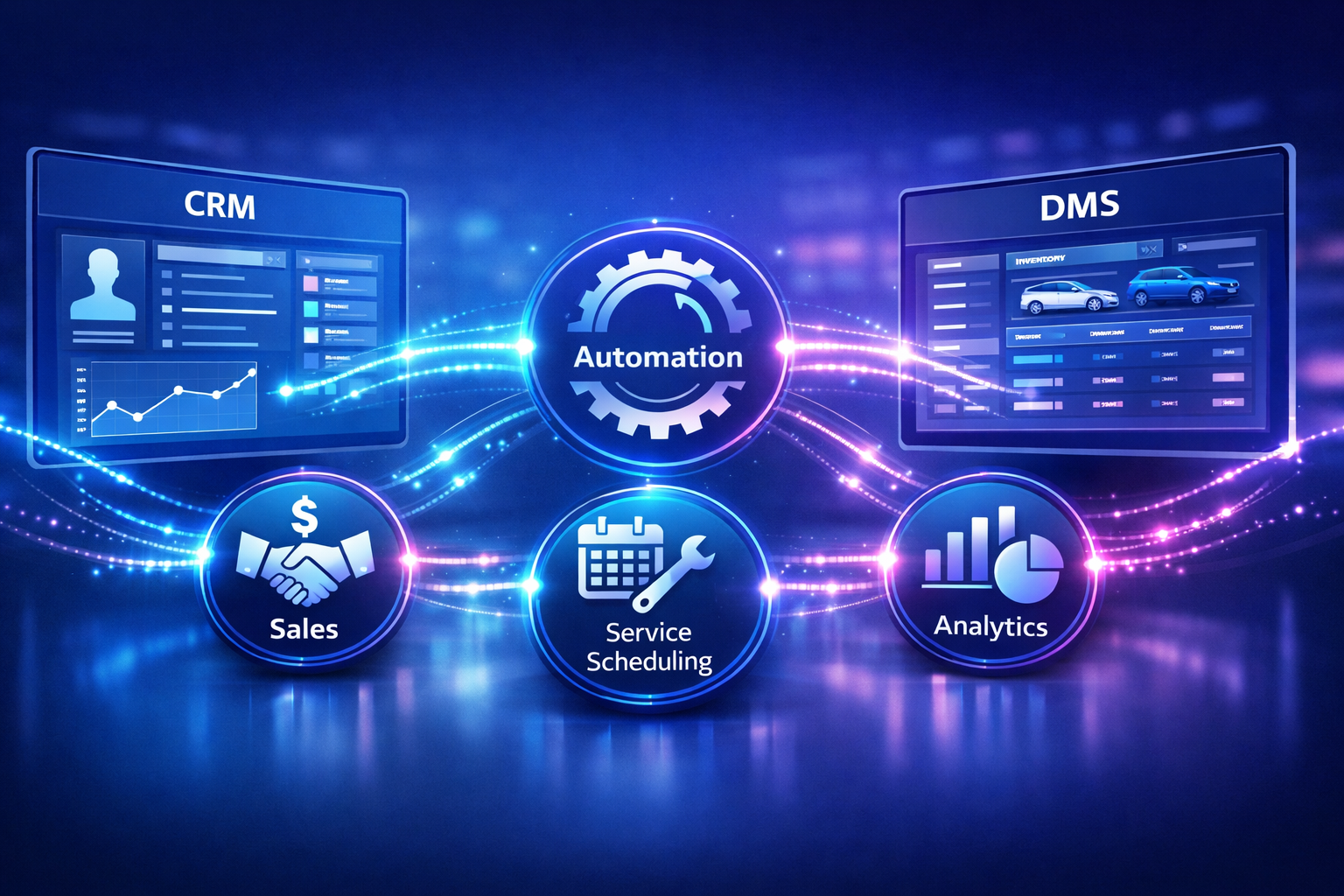
Example: Lead books test drive on website. CRM collects, checks DMS for customer's VIN history, and schedules appointment in DMS calendar. Service advisor can see slot and customer notes without helping at all. Such trivial little workflows are capable of saving a few minutes each time, which is an additive effect, quite fast.
How integration actually works (in plain terms)
Most people think integration is a sort of magic. Actually it's not. Behind the scenes you have connectors APIs middleware, and rules. Let's keep it simple and practical.
Conceptually, you have three major components:
- Trigger. In System A a certain event takes place (e.g. a lead is created or a work order is completed).
- Transform. Data is cleaned, mapped, or enriched. Converting field names and formats so System B understands is the part where the two systems interact.
- Action. The transformed data arrives in System B (create or update a record, schedule an appointment, trigger an invoice).
Technically you can do this several ways. A few common approaches:
- Direct API connections. Systems talk to each other via their published APIs. This works well for real-time needs, like syncing appointments instantly.
- Middleware or integration platform. A dedicated layer handles transformations and routing. It’s useful when you have many systems to tie together.
- Event-driven architecture. Systems emit events (like "work order completed") and subscribers pick them up. This scales well for high-volume dealerships.
- Batch syncs. Data syncs every few minutes or hourly. Simpler to implement but not ideal for workflows that need immediate updates.
Most dealers commonly combine a few strategies. For example, they may make real, time API calls to book meetings and notify customers right away while they use batch jobs to analyze historical data or create reports that run overnight. It is advisable not to overthink the matter. Simply choose the method that best supports the business need.
Data mapping and governance — the boring but critical stuff
Integration projects fail more often because of bad data or unclear ownership than because of technical hurdles. Clean data and clear rules keep everything useful over time.
- Decide the source of truth. Which system owns the customer record? If you don’t decide, every team will assume something different.
- Standardize fields. Agree on how names, addresses, phone numbers, and VINs are formatted. Small differences cause duplicates.
- Deduplicate regularly. Implement automated dedupe rules and a human review process for edge cases.
- Log every change. Keep an audit trail for updates, especially for finance and warranty records.
- Set retention and security rules. Decide how long you keep synced copies and who can access them.
I tell teams to treat this like housekeeping. Do it up front and you avoid months of messy cleanup later.
Real world pitfalls and how to avoid them
Here are the most common mistakes I see and how to fix them quickly.
- Over-automation. Automating everything sounds tempting until edge cases start breaking processes. Start small and expand.
- Poor field mapping. Mismatched fields create silent data corruption. Always test mappings with real samples before you switch on full sync.
- No rollback plan. If a sync runs amok, you need a way to undo or quarantine changes. Build transactional safety into your flows.
- Ignoring network limits. Some DMS platforms throttle API calls. Plan around rate limits and build exponential backoff into your connectors.
- Skipping user training. Even the best integration fails if staff don’t know the new process. Train early and often.
A small example to illustrate. One shop I worked with automated appointment confirmation messages. Sounds great, right? Except their DMS had a field that occasionally duplicated appointments under the same customer. We added a dedupe check and delayed messages for a minute while the system stabilized. Problem solved. The fix was simple because we tested and observed the edge case before going live.
Security, compliance, and vendor considerations
Customer data is sensitive. Treat it like cash. That means encryption at rest and in transit, strict role-based access control, and contract language that covers liability and breach notification.
Also think about compliance. Depending on where you operate you may have to meet privacy rules for customer data. Make sure your integration respects opt-outs and consent flags. I’ve seen situations where marketing emails were sent to customers who had opted out because the integration ignored an opt-out field. Don’t let that be you.
When evaluating vendors, ask these questions:
- Do you support secure API authentication like OAuth?
- How do you handle rate limits and error retries?
- Can you provide a sandbox or test environment?
- What is your SLAs for uptime and support?
- How do you handle data residency and deletion requests?
Measuring success — KPIs that matter
You need measurable outcomes, not vague promises. Here are practical KPIs I recommend tracking during and after crm and dms integration.
- Data entry hours saved. Track before and after to show labor savings.
- Lead response time. Time from lead capture to first outreach. Shorter is better.
- Appointment no-show rate. Automated reminders and synced schedules should reduce this.
- Close rate. Measure sales conversion improvements tied to richer customer data.
- Average repair order processing time. Automation should speed up approvals and invoicing.
- Customer satisfaction scores. Surveys after service help capture experience improvements.
A simple ROI approach works well. Estimate the weekly hours saved by automation, multiply by fully loaded hourly cost, and compare to your integration costs. Add in revenue improvements from faster follow-ups and better sales conversion. You’ll usually see payback within months for mid-sized operations.
Implementation roadmap: a practical plan
When clients ask me how to start, I give them a realistic roadmap. It breaks the project into manageable stages and keeps stakeholders happy.
- Discovery and priorities. Map current processes with the team. Identify the top three workflows to automate first. Include sales, service, and parts stakeholders.
- Data audit. Run a quick data quality scan. Fix the worst duplicates and standardize key fields like phone and VIN.
- Prototype. Build a small end-to-end automation for one workflow, such as lead-to-appointment. Test for a few weeks with real traffic.
- Pilot. Expand to a single location or team. Monitor KPIs and user feedback closely. Iterate fast.
- Rollout. Gradually add additional workflows and locations, without giving up the same testing discipline.
- Ongoing governance. Schedule regular reviews, refine rules, and automate monitoring alerts for sync failures.
4 to 12 weeks is a realistic time frame for a small to mid, sized project from discovery to pilot. On the other hand, bigger enterprise rollouts usually take longer, especially if custom connectors are required.
Technology checklist
Not all technology choices are equal. Here’s a checklist to keep vendors honest and your project realistic.
- Supports crm workflow automation out of the box or via APIs
- Provides connectors for common DMS platforms and can add custom ones
- Offers robust monitoring and error handling
- Documents data schemas and provides a sandbox environment
- Can handle both real-time syncs and batch jobs
- Has clear pricing and support SLAs for high-volume operations
If you’re looking for an integration partner, ask for examples of dealership management system integration projects they’ve completed. Real-world references matter.
Simple examples to make it concrete
Examples make decisions easier. Here are two quick scenarios I use when explaining integration to operations managers.
Example 1: Sales lead to test drive
- A lead submits a form with name, phone, and preferred model.
- The CRM creates the lead, tags the source, and checks the DMS for existing customer or VIN history.
- If a match exists, the lead inherits vehicle history. If not, the system creates a new customer record in the DMS.
- An appointment is scheduled in the DMS calendar and a confirmation SMS is sent automatically.
- The sales rep sees all notes and the customer’s service history in their CRM view.
Bottom line: the customer gets a faster, more personalized experience and the sales rep doesn't waste time searching across systems.
Example 2: Service repair follow-up
- A technician closes a repair order in the DMS.
- The DMS pushes the completed work order to the CRM as an event.
- The CRM triggers a follow-up email and schedules a satisfaction call two days later.
- Warranty claims and billing details are reconciled automatically with accounting.
This simple flow improves recovery on recommended services and reduces billing errors. Plus, customers feel looked after without extra clicks from your staff.
Choosing the right partner: agentia and others
If you want a partner who understands both crm and dealership systems, pick one with deep experience in dms software integration and crm automation for dealerships. Look for implementation case studies, proven connectors, and a transparent process.
Agentia is one such partner I’ve worked with in other projects. They focus on automating customer data and operational workflows for dealerships and service centers. Their team helps design integrations that reduce manual data entry and improve sales tracking. If you want to see how a tailored solution might look for your business, Agentia can demo common workflows and connectors in a short session.
ROI example: quick numbers
Let’s do a simple back-of-the-envelope calculation so you can feel the impact.
- Dealership staff spend 10 hours per week on manual data entry and reconciliation.
- Average fully loaded hourly cost is 30 dollars.
- Automation cuts that work by 60 percent, saving 6 hours per week.
- Weekly savings: 6 hours times 30 dollars = 180 dollars.
- Annual savings: 180 dollars times 52 weeks = 9,360 dollars per staff member.
If the integration reduces no-shows and increases conversions by even a few percentage points, the revenue upside is much larger. For most mid-sized stores, the integration pays for itself within a year. For larger groups, payback often happens in months.

Common questions I hear
Here are quick, practical answers to the questions I get all the time.
- How long does integration take? For a simple workflow, 4 to 12 weeks. For full-scale enterprise projects, plan for several months with phased rollouts.
- Do we need to replace our CRM or DMS? Usually not. Most integrations work with existing systems via APIs or connectors.
- What about training? Train early. Give users a sandbox to try the new flows. Include quick cheat sheets and short video guides.
- How do we handle downtime? Build retry logic and queueing into your integration. Make sure you have manual fallback processes for critical tasks.
Find more:What Is an AI Sales Agent and How It Closes Deals Automatically
Final recommendations
If you’re still reading, here are the things I want you to walk away with.
- Start with a few high-impact processes, not everything at once.
- Prioritize data quality before you automate. Clean inputs lead to reliable outputs.
- Test with real users and real data. Pilot small and iterate.
- Measure what matters: time saved, response time, conversion, and customer satisfaction.
- Pick a partner with proven dealership crm system and dms software integration experience if you don’t have the internal resources.
Automating CRM and DMS workflows is not a magic bullet, but done right it changes how your team spends its time. I’ve seen service advisors regain hours a week and sales teams close more deals because they had complete customer context at the right moment. Those are the wins that compound.
Faqs:
1. What does CRM DMS integration mean?
CRM DMS integration is the linking up of a Customer Relationship Management system with a Dealership Management System so that there is an automatic sharing of customer data, sales records, service history, and operational workflows between the two platforms. This integration does away with manual data entry, decreases errors, and enhances coordination between sales and service departments.
2. How does the integration of CRM with DMS make a dealership more efficient?
Integration of CRM with DMS enhances efficiency by generating automatic workflow processes such as lead capturing, scheduling appointments, informing customers about services, and re, engaging customers. Because the data is synchronized, sales and service teams can locate up, to, date customer information instantly, which not only changes the pace of decision, making but also increases overall productivity.
3. Which processes can CRM workflow automation handle?
CRM workflow automation can handle the conversion of leads, sending automated messages to clients about service appointments, customer follow, up, updating of invoices, checking for the availability of parts, and even warranty tracking. Automating these processes helps teams to save time and to concentrate on building customer relationships and carrying out revenue, generating activities.
4. Is CRM and DMS integration helpful for small dealerships?
Absolutely, crm dms integration even small and mid, size dealerships can get a lot of use out of. Automation lightens the workload of repetitive tasks, ensures data accuracy, and a small, sized team can easily customer communicate relationships and operations without having to large administrative staff.
5. How long does it take to implement CRM and DMS integration?
The implementation timeline depends on the complexity of the systems and workflows involved. For most dealerships, a basic crm dms integration setup can take 4–12 weeks, including data mapping, testing, and pilot deployment before a full rollout.
Helpful Links & Next Steps
- agentia
- Agentia blog
- Email us: hello@agentia.support
If you want to see these ideas in action, Book a free demo today: Book a free demo today.
Want a quick checklist to hand to your IT or operations lead? Send them the link to our demo and ask them to prepare a list of current systems, top pain points, and two workflows you want improved. That gives us a head start and makes the demo practical, not theoretical.
Thanks for sticking with me. If you have questions about a specific DMS or CRM, or want a quick sanity check on your integration plan, I’ve helped run these projects and I’m happy to weigh in.