What Is Customer Support in BPO? A Surprising Breakdown Every SMB Should Know
When you initially start delving into it, outsourcing customer support is somewhat like a mystery. You come across words such as BPO customer support and AI customer care, and it feels like your brain is mixing up. I get it. I've worked with startups and SMBs that hesitated for months just because they didn't know which questions to ask.
This article breaks things down in plain language. No buzzword soup. I’ll walk you through the main types of customer support services in the BPO world, what works for small teams, common traps to avoid, and how to pick a provider that actually helps you scale. Along the way I'll share practical examples and things I've seen go wrong and how to avoid them.

Why SMBs Even Consider BPO Customer Support
Firstly, really, why would a company decide to outsource support? Most small and medium-sized businesses (SMBs) often find themselves in a position where they are under pressure from their customers who demand fast and stable support. Nevertheless, since it requires a lot of time and money to create and train a support team internally, they hardly ever go for it.
- Cost predictability. Outsourcing turns hiring, payroll, and overhead into a predictable line item.
- Speed to scale. Need support for a product launch or seasonal spike? A BPO can ramp agents faster than you probably can.
- Access to skills. Some vendors offer multilingual agents, specialized technical support, or AI tools you don’t have to build yourself.
That said, outsourcing is not a magic bullet. It solves some problems and can introduce new ones if you're not careful. In my experience, the companies that do best are those that treat a BPO partner like an extension of the team, not a vendor you check in with once a month.
The Core Types of Customer Support Services
Customer support in BPO comes in many shapes. Below are the main categories you’ll see in proposals and RFPs. Knowing the difference helps you choose what your business actually needs.
Inbound Support
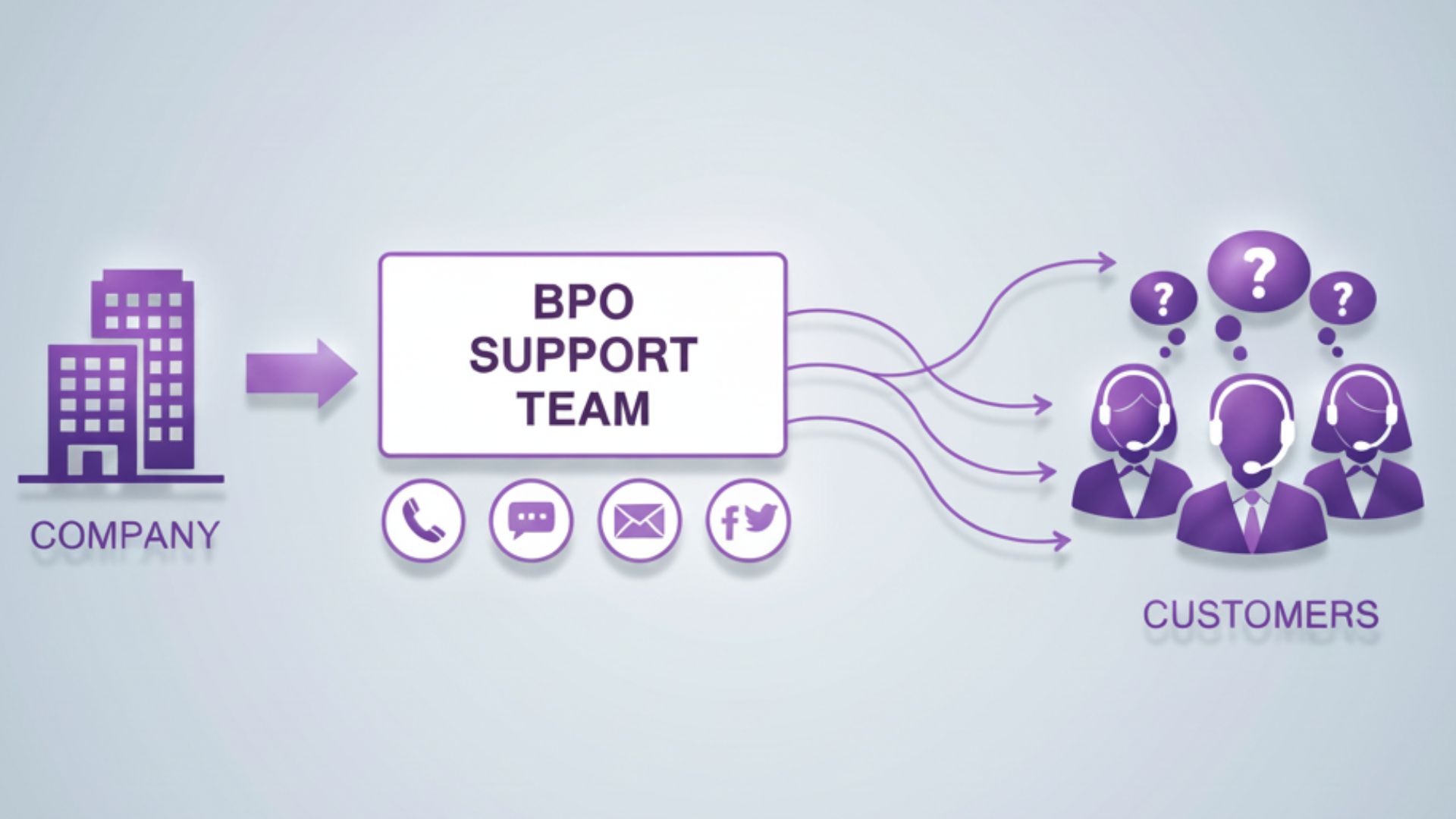
Inbound support handles incoming customer requests. Think phone calls, emails, chat messages, and social media inquiries. For most SMBs, inbound support is the foundation of BPO customer support.
- Phone support: Best for complex or emotional conversations. Humans like hearing a voice when the issue is tricky.
- Live chat: Fast and efficient for quick questions. Great for web-first businesses that want to convert visitors into customers.
- Email: Asynchronous and useful for records. It's slower, but necessary for certain types of support or legal records.
- Social media: Public by default. Quick response time builds trust, slow responses hurt your brand.
I’ve noticed many SMBs underestimate the volume that chat and social bring. Start small, monitor the channels, and be ready to add capacity quickly when things spike.
Outbound Support
Outbound support is a type of communication where the company contacts the customers on their own initiative. Some instances are account retention calls, renewal reminders, collections, and follow-up surveys.
- Sales support: Outbound calls that aim at turning the leads into customers or re-activating the accounts that have been lost.
- Collections and retention: Friendly reminders of renewals or account-past due invoices.
- Customer success outreach: Regular contacts to support customers in getting more value from your product.
Outbound activities may have a great effect on small and medium businesses as they are directly connected to the inflow of cash and the reduction of customer turnover.
Technical Support and Tiered Support
Not all agents are created equal. BPO customer support often uses tiers to handle complexity efficiently.
- Tier 1: Basic troubleshooting and account help. Scripts and knowledge base articles are common here.
- Tier 2: More technical troubleshooting, product-specific knowledge, and problem solving.
- Tier 3: Engineers or product experts who handle the hardest problems and escalations.
Small businesses sometimes try to save money by putting everything through Tier 1. That backfires quickly. If a customer needs a Tier 2 fix and gets scripted responses instead, frustration rises and churn follows. In my experience, designing a clear escalation path upfront saves a lot of headaches.
AI Customer Care
AI is no longer hype. It’s a practical tool in a support stack. But here's the catch: AI works best when it augments human agents, not replaces them entirely.
- Chatbots for onboarding patients: Use chatbots to gather information, manage FAQs, and send the cases that are most difficult to humans.
- AI-enabled representatives: Tools that provide answer suggestions, locate relevant knowledge base articles, or generate summaries of long tickets.
- Unattended follow-ups: Bots may be checking on customers after a ticket is closed and if necessary, reopening it.
I have witnessed companies attempt "full automation" and then react hysterically when angry customers insist on talking to a human. Firstly, implement AI to liberate agents from monotonous tasks. Keep a close watch on customer satisfaction. If CSAT decreases after automation, then you should slow down, go back to the drawing board, and adjust the bot.
Channels, Omnichannel, and Why It Matters
Customers use multiple channels. They might start a chat, switch to email, then call. Omnichannel support keeps context across those switches. It’s harder to set up, but it pays off in better customer experience.
Channels you should consider:
- Phone
- Live chat
- SMS
- Social media
- In-app messaging
Typically, a prioritized set of channels is the sweet spot for SMBs, the ones your customers really use and a plan to find more later. My suggestion is to begin with two or three channels and then develop an omnichannel backbone when the volumes are enough to support it.
How to Decide What to Outsource
Not every support task should be outsourced. Here's a simple framework I use when advising clients:
- List tasks your team does today.
- Mark routine, high-volume tasks as good candidates for outsourcing.
- Keep strategic, product-development, and highly technical tasks in-house.
- Consider a hybrid model when the lines blur.
Example: If you sell a SaaS product, billing and password resets are prime outsourcing candidates. Feature roadmap discussions and product beta support should stay internal. That way, you protect your product vision while offloading tedious work.
Pricing Models You’ll Encounter
Costs vary and so do the pricing models. Here are the ones you're likely to see, with pros and cons.
- Per interaction or per ticket. Simple and predictable for email and chat. Can incentivize short replies.
- Per minute or per hour. Common for voice-heavy services. Good when call length is variable.
- Per full-time equivalent (FTE). You pay for dedicated agents. Predictable but can be expensive during slow months.
- Blended pricing. A combination of fixed monthly fees and variable usage charges.
Be careful with hidden fees, charges for onboarding, peak hour surcharges, training costs, and extra tooling fees. Vendors should be asked to clarify what is included. A cheap headline price can balloon once you add real-life needs like quality monitoring and language coverage.
Metrics and KPIs That Actually Matter
Vendors will throw a bunch of KPIs at you. Not all metrics are equally useful for your business. Here are the ones I recommend tracking closely.
- First response time: How long is it until a customer gets a reply from you?
- Resolution time: How long is it until the problem gets fixed?
- First contact resolution rate: Is the agent solving the issue at the first time?
- CSAT and NPS: Customer satisfaction and loyalty measuring metrics.
- Escalation rate: At what frequency are issues being handed over to the higher tier?
- Quality scores: Regular reviews of agent conversations for the correct use of the right tone, giving accurate information, and following the set policies.
Pro tip: Align KPIs with customer outcomes and your business goals. If retention is your priority, track churn influenced by support interactions. If you’re in e-commerce, speed and conversion from chat might be more important.
Transitioning to a BPO: A Practical Checklist
Not being in control of the conversations when you are trying to support BPO might be one of the most stressful things and this does not have to be the case. Here is a list of things to do which will help you to be less surprised. I have done a variation of this with small teams and very often it results in saving the weeks which would have been used for the back-and-forth.
- Document current workflows: What happens when a ticket arrives? Who does escalation?
- List systems and tools: CRM, helpdesk, knowledge base, and authentication flows.
- Gather training materials: Scripts, KB articles, troubleshooting steps, and SOPs.
- Define SLAs: Response times, resolution windows, and escalation rules.
- Organize data access: How much system access will the vendor require? How will you protect sensitive data?
- Run a pilot: Start with a small, controlled scope and measure results.
- Iterate: Use pilot feedback to refine scripts, routing, and training.
One common mistake I see is skipping the pilot. Full-scale launches amplify problems. Pilots let you test assumptions and build trust with the vendor without risking your entire customer base.
Quality Control and Training
Good BPOs invest in ongoing training and quality assurance. Don’t accept “we’ll handle training” as a vague promise. Ask for specifics.
- Agent onboarding timeline: How long before agents can handle live tickets?
- Coaching and refreshers: How often are agents coached and audited?
- Quality review process: What scoring system is used and who conducts reviews?
- Knowledge base updates: How are product changes communicated to agents?
In my experience, the best vendors pair a dedicated client success manager with a training lead. That way you get a single point of contact for strategy and a separate owner for day-to-day agent performance.
Security, Compliance, and Data Privacy
Security isn't optional. Especially if you handle payments, personal data, or regulated information.
Ask vendors about:
- Data handling and encryption
- Background checks and agent access controls
- Compliance certifications like SOC 2 or ISO 27001
- Incident response plans
- How they handle GDPR or CCPA requests if you have customers in those regions
Don't assume a low-cost provider has secure practices. I once saw an SMB move to an inexpensive call center without proper access controls and then face a data leak. It cost them more in customer trust than they'd saved on support.
Common Pitfalls and How to Avoid Them
Outsourcing goes smoothly when you know the usual traps. Here are the ones I warn people about most often.
Pitfall: Focusing Only on Cost
Choosing the cheapest offer can be a false economy. You might save money up front and lose customers later. Look for alignment on quality, culture, and communication.
Pitfall: Poor Handoffs and Escalations
Unclear escalation rules create friction. Make sure the vendor knows exactly when to escalate and to whom. Include contact info for your product team and a definition of what counts as an emergency.
Pitfall: Not Measuring Customer Outcomes
Metrics are only useful if they link to outcomes. If you focus only on speed, you might encourage agents to close tickets without solving the customer's real problem. Balance speed with quality measures like CSAT and first contact resolution.
Pitfall: Ignoring Cultural Fit
Your support voice is part of your brand. If agents speak in a way that clashes with your tone, customers notice. Review sample interactions and run joint coaching sessions to align language and brand values.
How to Evaluate and Choose a Vendor
Finding the suitable partner is 50% strategy and 50% instinct. The ideal partner is the one who knows your client and behaves as if he is your team's natural member. Here is a brief pick the partners path.
- Define results: What are the main objectives of outsourcing? To make the response faster, to save costs, to increase customer loyalty?
- Find vendors: Determine partners by their experience in the industry, language skills, and the number of channels they can serve.
- Request proposals: Request pricing, SLAs, case studies, and candidate agent profiles.
- Verify references: Speak with similar companies that have worked with the vendor.
- Test a pilot: Initiate a small project, evaluate, and then expand.
Put forward certain questions. Do not agree with a vague answer such as "We can train agents quickly." Request a training schedule by way of example, quality audit templates, and a one-week pilot plan. If they are not able to give them, then they probably do not have a mature process.
Simple ROI Example
Numbers help clarify decisions. Here’s a quick example using round numbers.
- Current internal cost for support: $50,000 per year (salary + overhead for 1.5 FTEs)
- BPO quote: $30,000 per year for a blended model
- Improvements: Faster response reduces churn by 2% which saves $10,000 per year
First-year savings: $50,000 - $30,000 + $10,000 = $30,000
That’s a simple calculation. Your reality will include onboarding costs and transition time. Still, a quick ROI test helps decide whether to evaluate vendors more seriously.
Real-Life Mini Case: Seasonal E-commerce Brand
I worked with a startup that sells seasonal gear. Peak season hit them hard. Support response times ballooned, and refunds spiked. They considered hiring three full-time agents but didn't want long-term overhead for a few months of demand.
The solution: They partnered with a BPO for seasonal inbound support with clearly defined SLAs and a pilot for holiday peak days. The vendor trained on their return policy and used chat and email to manage volume. Returns and refunds stayed professional. The startup avoided hiring permanent staff and kept CSAT stable.
Takeaway: BPOs can be a great tactical solution for predictable spikes. The trick is to plan the handoff and train the vendor on your top pain points.
Tips for Working with Your BPO Partner
- Hold weekly check-ins at the start. More frequent communication prevents misalignment.
- Share product roadmaps and release schedules so agents aren't surprised by changes.
- Run joint quality audits. Co-review calls and tickets to align expectations.
- Use shared dashboards. Real-time visibility builds trust and reduces firefighting.
- Invest in a kickoff week on culture and tone. A small up-front time investment pays off in better customer interactions.
Small gestures matter. Have your CEO record a short welcome message for agents to understand your mission. It humanizes your company and helps agents represent your brand more authentically.
When Not to Outsource
Outsourcing isn't the right choice in every situation. Keep support in-house if:
- Your product requires deep, frequent coordination with the engineering team.
- Your support interactions are core to your brand experience and competitive advantage.
- You’re in a highly regulated industry where vendor compliance is hard to verify.
Sometimes a hybrid approach works: outsource routine tasks and keep high-touch support in-house.
Future Trends to Watch
As you evaluate BPO customer support, keep an eye on these trends.
- AI-assisted support will become standard for triage and agent help, not full replacement.
- More vendors will offer omnichannel platforms that keep context across channels.
- Flexible pricing models will grow, helping SMBs avoid long-term commitments.
- Transparency and real-time dashboards will become a baseline expectation.
If you plan ahead, you can adopt new tools when the timing is right, without disrupting customers or agents.
Quick Checklist Before You Sign
- Do they handle your priority channels well?
- Can they show case studies for similar SMBs?
- Are SLAs clear and aligned to your business goals?
- How will data and security be handled?
- What’s the pilot plan and exit clauses?
- Are reporting and KPIs transparent and accessible?
Asking these questions up front saves negotiation headaches and surprises later.
Parting Thoughts
Outsourcing customer support through a BPO can be a powerful lever for growth — especially for SMBs that want to stay lean but deliver great customer experiences. But it only works when you treat it as a partnership and set it up with clear goals, strong training, and thoughtful measurement.
I've seen teams improve customer satisfaction dramatically after moving to a thoughtful BPO partnership. I’ve also seen companies rush into cheap deals and pay later with churn and poor brand perception. The difference often comes down to planning and ongoing collaboration.
Helpful Links & Next Steps
If you're exploring support outsourcing for SMBs and want a practical conversation about inbound support, outbound support, or AI customer care, start with a short pilot and clear SLAs. If you'd like a hand running that pilot, consider working with a partner who’s experienced with SMB scale.
Explore Smarter Customer Support with Agentia
Questions? Want a checklist tailored to your business? Drop me a note through the link above and I’ll share a sample RFP template and pilot plan that’s worked for several small teams.
Frequently Asked Questions (FAQs)
1. What Customer Support in BPO Really Means
Customer support in BPO refers to business process outsourcing, where customer-facing activities are handled by an external specialist rather than an in-house team. Instead of managing recruitment, training, quality control, and technology internally, businesses delegate these responsibilities to a third-party provider that delivers trained agents, defined processes, and a managed technology stack.
2. How Inbound and Outbound Support Work in BPO
Customer support in BPO typically includes both inbound and outbound services. Inbound support handles incoming customer requests through phone, email, live chat, and social channels, focusing on issue resolution and brand protection. Outbound support involves proactive outreach such as renewals, follow-ups, collections, and feedback calls, which can support retention and revenue when done carefully.
3. Why SMBs Outsource Customer Service
Small and medium-sized businesses often outsource customer service to gain predictable costs, scalability, and operational expertise. Running an in-house support operation requires continuous investment in salaries, benefits, hiring, training, and software, while outsourcing converts these variable expenses into predictable fees and frees leadership to focus on growth.
4. The Role of AI in BPO Customer Care
AI customer service is now an integral part of modern BPO operations. AI-powered chatbots manage repetitive queries, assist agents with real-time suggestions, and analyze sentiment to prioritize urgent issues. When combined with human oversight, AI improves speed and consistency without compromising empathy.
5. Which Support Tasks SMBs Should Outsource First
SMBs new to outsourcing should begin with low-risk, high-impact tasks. Routine inbound questions such as order status and account updates, after-hours support, peak-season handling, and back-office tasks like refunds or ticket routing are ideal starting points that reduce operational load quickly.
6. How a Phased Outsourcing Approach Reduces Risk
A phased approach to outsourcing helps SMBs minimize risk while building trust with a BPO partner. Starting with a limited pilot allows companies to evaluate service quality, refine scripts, and adjust workflows before expanding scope, ensuring customer experience remains consistent.
7. Key Metrics and SLAs to Track
Once support is outsourced, performance must be measured consistently. Metrics such as first response time, average handle time, resolution rate, CSAT, NPS, and regular quality audits help ensure service meets expectations and supports long-term customer satisfaction.
8. How to Choose the Right BPO Partner
Selecting the right BPO partner requires evaluating domain experience, multichannel capability, AI usage, scalability, security standards, reporting transparency, and quality assurance processes. Clear SLAs and real references are critical to avoid mismatched expectations.
9. Understanding Common BPO Pricing Models
BPO pricing typically follows per-agent, per-interaction, per-hour, or blended models. SMBs often prefer blended pricing to balance predictable costs with flexibility during demand spikes. Always account for setup, training, and integration fees upfront.
10. Making Onboarding and Knowledge Transfer Effective
Successful outsourcing depends on strong onboarding and knowledge transfer. Defining scope, sharing product documentation, building playbooks, running supervised sessions, and starting with a pilot ensure agents are prepared and aligned with brand tone from day one.
11. Maintaining Quality Through Continuous Improvement
Ongoing quality assurance prevents service degradation. Regular audits, customer feedback, coaching sessions, and root cause analysis help improve processes over time. Monthly reviews with the BPO partner keep scripts and workflows aligned with customer needs.
12. Common Mistakes SMBs Make When Outsourcing Support
Frequent mistakes include outsourcing too much too early, vague SLAs, ignoring brand voice, failing to integrate tools, and over-automating with bots. Outsourcing improves execution but does not replace fixing product or UX issues.
13. Security, Compliance, and Data Privacy Considerations
Security and compliance are critical when outsourcing customer support. SMBs should verify GDPR readiness, PCI compliance, data retention policies, access controls, and device security to avoid costly data breaches or regulatory issues.
14. Is Outsourcing Customer Support Right for Your SMB?
Outsourcing customer support can deliver predictable costs, better coverage, and access to specialized skills when implemented thoughtfully. By starting small, setting clear expectations, and combining AI with human judgment, SMBs can turn outsourced support into a competitive advantage rather than just a cost-saving measure.